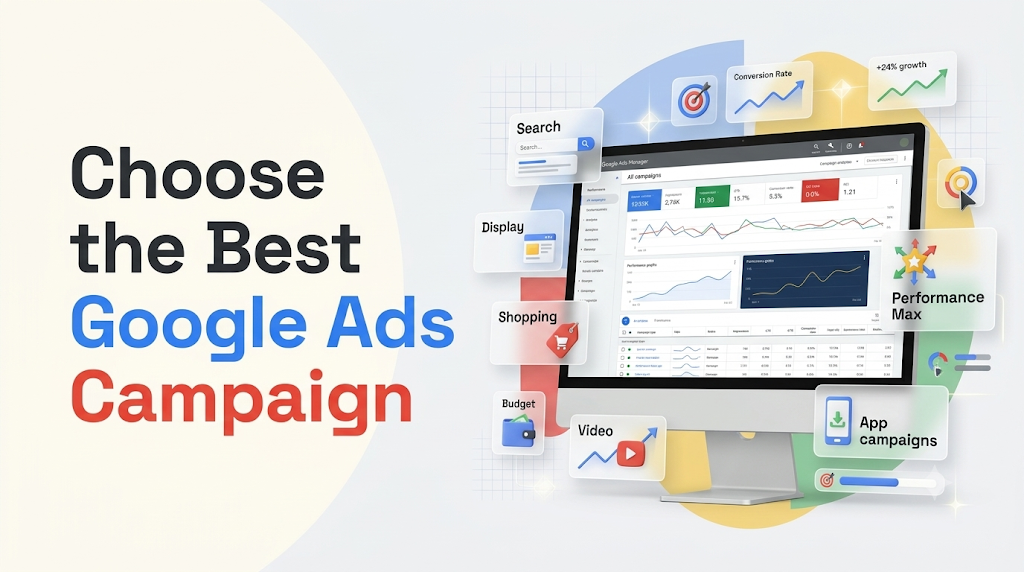
The Best Google Ads Campaign depends on your advertising objective. Search campaigns work well for capturing high-intent searches and generating leads. Display campaigns help build visibility across websites and apps. Shopping campaigns promote ecommerce products, while Video and Demand Gen campaigns reach audiences through visual content. Performance Max helps drive conversions across Google’s advertising channels, and App campaigns focus on app installs and engagement.
To make the right choice, identify your primary goal, understand your audience, set a realistic budget, and measure conversions before scaling your advertising efforts. A well-defined Google Ads optimization strategy can also help you improve campaign performance and make better use of your advertising budget.
Choosing the Best Google Ads Campaign starts with understanding your business goals, target audience, advertising budget, and desired results. Google Ads offers several campaign types, including Search, Display, Shopping, Video, Demand Gen, App, and Performance Max. Each campaign serves a different purpose. Some attract customers who are actively searching for products or services, while others build brand awareness, generate demand, or drive conversions across multiple Google channels.
However, selecting a campaign type is only the first step. You also need relevant Google Ads keywords, compelling ad copy, accurate audience targeting, an effective website landing page, and reliable conversion tracking. Furthermore, your Google Ads bidding strategy and campaign structure should support the results you want to achieve.
This guide explains the different Google Ads campaign types, their benefits, ideal use cases, and how to choose the right advertising strategy for your business. It also covers campaign selection, ad performance optimization, common advertising mistakes, and the metrics you should monitor.
What Are Google Ads Campaigns?
Google Ads campaigns are online advertising initiatives that help businesses promote their products and services across Google’s advertising network. Advertisers can display text, image, product, and video ads to people based on their searches, interests, online activity, and other available targeting signals. These campaigns are an important part of digital marketing strategies for businesses looking to reach potential customers online.
Each Google Ads campaign has a specific objective, targeting options, bidding settings, and ad formats. For example, a Search campaign displays text ads when users search for relevant products or services. In contrast, a Video campaign reaches audiences through video placements on YouTube. Understanding how Google Search campaigns work can help advertisers identify the right approach for capturing active search demand.
Google Ads allows businesses to choose campaign objectives such as:
- Sales: Encourage customers to purchase products or services.
- Leads: Generate enquiries, form submissions, and phone calls.
- Website Traffic: Bring relevant visitors to your website.
- Brand Awareness: Introduce your business to potential customers.
- App Promotion: Increase app downloads, installs, and engagement.
- Product and Service Promotion: Showcase specific products or services to interested audiences.
Therefore, understanding your marketing objective helps you select the most suitable Google Ads campaign instead of spending money on advertising that does not support your business goals. Businesses should also consider their overall online visibility and how paid advertising fits into their wider customer acquisition strategy.
7 Types of Google Ads Campaigns You Should Know
Google Ads provides different campaign types to help advertisers reach potential customers at various stages of the buying journey. Understanding their features and benefits makes it easier to select the best advertising strategy. Your choice should also consider customer search intent, audience behaviour, and the type of content that best communicates your offer.
Let’s explore the seven major Google Ads campaign types and when to use each one.
1. Search Google Ads Campaigns
Search campaigns display text advertisements on Google search results when people look for products, services, or information related to your business. These campaigns help advertisers connect with users who already have an interest in what they offer. Learn more about how Google Search campaigns work and how keyword targeting helps reach potential customers.
For example, someone searching for “website development company” may see advertisements from businesses offering web development services. This makes Search campaigns useful for reaching potential customers with clear purchase or enquiry intent. Choosing relevant Google Ads keywords helps align your advertisements with the searches your target audience is making.
Key Features of Search Campaigns
- Keyword-based targeting to reach relevant search queries.
- Responsive Search Ads with multiple headlines and descriptions.
- Ad assets such as sitelinks, callouts, and call information.
- Location and language targeting to reach relevant audiences.
- Bidding strategies focused on clicks, conversions, or conversion value.
Best For
- Generating qualified leads and enquiries.
- Promoting professional services.
- Increasing website traffic from relevant searches.
- Reaching customers actively looking for products or services.
- Supporting local businesses that want more calls and enquiries.
Example: A digital marketing agency wants to attract businesses looking for SEO services. It creates a Search campaign targeting keywords such as “SEO services for small businesses,” “digital marketing agency,” and “SEO company near me.” When potential customers search for these services, relevant ads can appear in Google search results.
Why Choose Search Campaigns?
Search campaigns are particularly useful when customers already know what they need. They allow businesses to target relevant search intent and direct potential customers to dedicated landing pages. Advertisers can improve results by using relevant keyword targeting and creating ad groups that closely match customer searches.
However, keyword selection matters. Broad or unrelated keywords can attract visitors who are unlikely to become customers. Therefore, review search terms, use suitable negative keywords, and keep your ad messaging aligned with the user’s search. Regularly monitoring your Google Ads campaign performance can help identify opportunities to improve targeting.
2. Display Google Ads Campaigns
Display campaigns use visual advertisements, including images, banners, and responsive display ads, to reach audiences across websites, apps, and other Google Display Network placements. These advertisements help businesses introduce their products and services to people while they browse online content. Explore how Google Display campaigns work to understand their formats, targeting options, and advertising opportunities.
Unlike Search campaigns, Display ads do not depend only on users actively searching for a product or service. Instead, advertisers can reach relevant audiences while they browse online content. This makes Display advertising useful for businesses that want to increase brand awareness and connect with potential customers earlier in their buying journey.
Key Features of Display Campaigns
- Image-based and responsive display advertisements.
- Audience targeting based on interests and other available signals.
- Contextual and placement-based targeting options.
- Remarketing using eligible website visitor or app audience segments.
- Opportunities to expand brand visibility beyond search results.
Best For
- Building brand awareness and recognition.
- Promoting new products and services.
- Reaching potential customers during the research stage.
- Supporting remarketing strategies.
- Increasing visibility across relevant websites and apps.
Example: An online furniture store wants to remind previous website visitors about products they viewed. It uses eligible audience segments to show relevant display advertisements featuring those products or related offers.
Why Choose Display Campaigns?
Display advertising helps businesses reach audiences who may not be actively searching for their products. It can also support remarketing strategies by reconnecting with people who have previously visited a website or interacted with a business. Relevant visual advertisements can reinforce brand recognition and encourage potential customers to revisit your website.
Important 2026 Update: Google announced that Display advertising is moving into the Demand Gen environment. The transition began in 2026, with migration expected to continue through 2027. Advertisers should understand the changing campaign setup and available placement controls when creating or managing Display advertising campaigns.
3. Google Shopping Campaigns
Shopping campaigns help ecommerce businesses promote their products through visual product listings on Google. These advertisements can display product images, titles, prices, store information, and other relevant details. They are particularly useful for online retailers looking to improve ecommerce visibility and attract customers searching for specific products.
Unlike traditional text advertisements, Shopping ads allow potential buyers to see important product information before visiting an online store. This can help shoppers understand the product offering and compare available options.
Key Features of Shopping Campaigns
- Product images and titles in advertisements.
- Product pricing and store information.
- Product inventory management through Google Merchant Center.
- Product feed-based advertising.
- Opportunities to reach shoppers searching for specific products.
Best For
- Ecommerce businesses and online retailers.
- Promoting individual products and product categories.
- Increasing online product sales.
- Reaching customers with shopping intent.
- Showcasing product prices and availability.
Example: An online electronics store wants to promote its range of wireless headphones. It uploads product information, images, prices, and availability to Google Merchant Center. The store can then use Shopping campaigns to display relevant products to people searching for wireless headphones.
Why Choose Shopping Campaigns?
Shopping campaigns are valuable because they provide product information directly within advertisements. This helps shoppers compare products and identify relevant options before clicking through to the store. Accurate product information and a well-structured ecommerce website can further support the shopping experience.
Before launching a Shopping campaign, ensure that your Merchant Center account and product feed contain accurate information. Product titles, images, prices, availability, and landing page details should remain consistent.
Shopping Campaigns vs. Performance Max: Shopping campaigns focus on product listings, while Performance Max can use Merchant Center product feeds to promote products across multiple Google advertising channels. The right choice depends on your campaign goals and the level of control you need.
4. Google Video Ads Campaigns
Video campaigns allow businesses to promote their products and services through video advertisements on YouTube and other eligible video placements. These campaigns can help brands communicate their message through demonstrations, storytelling, and product presentations. Video advertising can also complement broader digital marketing strategies by helping businesses reach audiences through visual content.
Video advertising helps brands communicate information through storytelling, demonstrations, customer experiences, and product presentations. It can also support conversion-focused marketing when the campaign objective and format are configured accordingly.
Key Features of Video Campaigns
- Video advertisements on YouTube.
- Skippable and non-skippable in-stream formats, where eligible.
- In-feed video advertisements.
- Video reach and view-focused campaign options.
- Conversion-focused video advertising options.
- Audience targeting and remarketing opportunities.
Best For
- Increasing brand awareness and recognition.
- Demonstrating products and services.
- Reaching audiences through visual storytelling.
- Generating interest in new product launches.
- Supporting sales and lead generation objectives.
Example: A fitness equipment company wants to introduce a new home workout machine. It creates a short demonstration video showing the product’s features and benefits. The company uses a Video campaign to reach people interested in fitness equipment and home workouts.
Why Choose Video Campaigns?
Video advertisements allow businesses to explain products and services in a more engaging way. They can show how a product works, highlight its benefits, and build familiarity with a brand. A clear video message and relevant advertising content can help businesses communicate their value more effectively.
However, successful video advertising requires more than an attractive video. The opening seconds should capture attention, the message should be easy to understand, and the call to action should encourage viewers to take the next step.
5. Google Performance Max Campaigns
Performance Max is a goal-based Google Ads campaign type that uses Google’s AI-powered optimization to help advertisers achieve conversion goals across Google’s advertising inventory. It allows businesses to manage advertising across multiple Google channels through a single campaign. Learn more about Google Ads automated bidding to understand how automated bidding supports conversion-focused advertising.
Depending on eligibility, assets, settings, and campaign objectives, advertisements can appear across Search, YouTube, Display, Discover, Gmail, Maps, and other available placements. This makes Performance Max an option for businesses looking to reach potential customers across multiple channels.
Key Features of Performance Max Campaigns
- Access to multiple Google advertising channels through one campaign.
- AI-powered bidding and optimization.
- Asset groups containing headlines, descriptions, images, and videos.
- Audience signals to guide campaign learning.
- Conversion and conversion-value optimization.
- Reporting insights into asset performance and audience signals.
Best For
- Driving online sales and conversions.
- Generating leads across multiple channels.
- Increasing conversion value and return on ad spend.
- Reaching potential customers across Google’s advertising inventory.
- Supporting businesses with clear conversion goals and reliable measurement.
Example: An online clothing retailer wants to increase sales across its website. It creates a Performance Max campaign and provides product information, images, headlines, descriptions, and conversion goals. Google uses available signals and campaign data to optimize advertising across eligible channels.
Why Choose Performance Max?
Performance Max is useful when businesses want to reach potential customers across multiple Google channels without creating a separate campaign for every placement. Its automated bidding capabilities can help advertisers work toward selected conversion and revenue goals.
However, advertisers should provide high-quality creative assets, accurate conversion data, and clear campaign goals. They should also review performance insights and monitor the actual value generated by the campaign. Accurate Google Ads conversion tracking is particularly important when using conversion-focused optimization.
Do not choose Performance Max simply because it covers multiple channels. A focused Search campaign may be a better starting point when your primary goal is to capture specific high-intent searches.
6. Google Demand Gen Campaigns
Demand Gen campaigns help businesses create demand and encourage customer action through visual advertising across Google’s discovery-focused surfaces. These campaigns are useful for businesses that want to introduce products and services to audiences who may not be actively searching for them.
These campaigns use image and video assets to reach audiences across YouTube, YouTube Shorts, Discover, Gmail, Google Maps, and the Google Display Network, depending on campaign settings and available placements. Their visual formats can complement other online advertising strategies focused on customer discovery and engagement.
Unlike Search campaigns, Demand Gen does not rely solely on people actively searching for a product. Instead, it helps businesses introduce products and services to audiences who may be interested in them.
Key Features of Demand Gen Campaigns
- Image and video advertising formats.
- Access to visual Google advertising surfaces.
- Audience targeting and lookalike segment options, where eligible.
- Creative testing and asset optimization.
- Campaign objectives focused on engagement, traffic, and conversions.
- Placement and channel controls, depending on availability.
Best For
- Creating demand for new products and services.
- Increasing brand discovery and engagement.
- Promoting products through visual content.
- Reaching audiences before they actively search for a solution.
- Supporting remarketing and customer acquisition strategies.
Example: A skincare brand launches a new product range. It creates product videos and attractive images for a Demand Gen campaign. The ads reach people interested in skincare and beauty content across eligible Google surfaces.
Why Choose Demand Gen Campaigns?
Demand Gen is useful when your business wants to reach potential customers before they make a direct search. It combines visual storytelling with audience targeting to build interest and encourage action. Businesses can strengthen these campaigns with relevant advertising creatives that communicate product benefits and encourage engagement.
Demand Gen vs. Performance Max: Both campaign types use Google’s AI-powered optimization, but their roles are different. Demand Gen focuses on visual discovery and audience engagement across selected surfaces. Performance Max aims to maximize conversions or conversion value across Google’s broader advertising inventory.
7. Google App Campaigns
App campaigns help businesses promote mobile applications and encourage users to install, engage with, or complete valuable actions within an app. They are designed for businesses that want to increase their mobile user base and encourage meaningful app activity.
These campaigns use Google’s advertising inventory to reach potential app users across Search, Google Play, YouTube, Discover, and eligible websites and apps. Advertisers provide essential campaign information, such as text ideas, images, videos, and app details. Google then uses these assets and available signals to optimize ad delivery.
Key Features of App Campaigns
- Promotion of mobile applications.
- App install and engagement objectives.
- Automated targeting and bidding.
- Creative assets for different advertising placements.
- Campaign optimization based on selected app actions.
Best For
- Increasing mobile app downloads.
- Promoting newly launched applications.
- Re-engaging existing app users.
- Increasing in-app purchases and valuable actions.
- Growing an application’s user base.
Example: A food delivery company launches a mobile app and wants to increase downloads. It creates an App campaign focused on installs and provides app-related creative assets. Google can then show relevant advertisements to potential users across eligible placements.
Why Choose App Campaigns?
App campaigns are designed for businesses that want to grow their mobile application audience. They help advertisers reach people who may be interested in downloading or using an app.
However, app installs alone do not always indicate business success. Track meaningful actions such as registrations, purchases, subscriptions, and repeat engagement to understand the quality of acquired users.
Google Ads Campaign Comparison: Which Type Should You Choose?
Choosing the right campaign becomes easier when you compare each type based on its primary objective, advertising format, and ideal business use case. You should also consider how each campaign supports your overall Google Ads strategy.
| Google Ads Campaign Type | Main Objective | Best For |
| Search Campaign | Capture search demand | Leads, sales, and high-intent traffic |
| Display Campaign | Expand visual reach | Brand awareness and remarketing |
| Shopping Campaign | Promote product listings | Ecommerce and online retail |
| Video Campaign | Reach audiences through video | Brand recognition and product promotion |
| Performance Max | Optimize conversions across channels | Sales, leads, and conversion value |
| Demand Gen Campaign | Create demand through visual content | Discovery, engagement, and customer acquisition |
| App Campaign | Promote mobile applications | App installs and in-app engagement |
Quick Selection Guide:
- Want more qualified leads? Start by evaluating Search campaigns.
- Want to promote online products? Consider Shopping campaigns or Performance Max.
- Want to build brand awareness? Evaluate Display and Video campaigns.
- Want to create interest in a new product? Consider Demand Gen.
- Want more app downloads? Choose App campaigns.
- Want to optimize conversions across Google’s channels? Evaluate Performance Max.
Remember that the most suitable campaign depends on your audience, conversion goals, available data, and advertising budget. Review your campaign performance and optimization opportunities regularly instead of choosing a campaign based only on its features.
How to Choose the Best Google Ads Campaign for Your Business
Selecting the Best Google Ads Campaign requires more than choosing a popular campaign type. Your advertising strategy should match your business model, customer journey, and expected return. A clear understanding of your target market can help you identify the audience, messaging, and campaign format most relevant to your business.
Use the following factors to make an informed decision.
1. Identify Your Primary Advertising Goal
Start by deciding what you want your Google Ads campaign to achieve. A clear objective helps you select the right campaign type and measure its success. Your objective should also connect with your broader digital marketing goals.
For example:
- Lead Generation: Search campaigns can capture people actively looking for professional services.
- Online Sales: Shopping and Performance Max campaigns can help ecommerce businesses promote products and drive purchases.
- Brand Awareness: Video and Display campaigns can introduce your brand to relevant audiences.
- Product Discovery: Demand Gen can help generate interest among potential customers.
- App Downloads: App campaigns can attract new mobile users.
Avoid trying to achieve every objective with one campaign. Instead, prioritize the result that matters most to your business. You can then choose suitable Google Ads bidding strategies and performance metrics to measure progress.
2. Understand Your Target Audience
Your target audience plays an important role in campaign selection. Understand who your customers are, what they need, and how they search for solutions. Creating a clear target audience profile helps you select relevant keywords, audience signals, and advertising formats.
Consider these questions:
- Are customers actively searching for your product or service?
- Do they need information before making a purchase?
- Are they discovering products through videos and online content?
- Have they previously visited your website?
- Are they likely to purchase through a website or mobile app?
For example, a customer searching for “emergency plumbing services near me” may be ready to contact a service provider. A Search campaign can help reach that customer at the right moment. Relevant location targeting can also help businesses reach customers in their service areas.
On the other hand, someone browsing home improvement videos may not be ready to hire a plumber. A visual advertising campaign could help introduce the business and build interest. Understanding customer behaviour can also help you create more relevant advertising messages.
3. Set a Realistic Advertising Budget
Your Google Ads budget should reflect your business goals, market competition, and expected customer value. A practical Google Ads budget and optimization strategy can help you manage spending while evaluating campaign performance.
Different campaign types can have different cost patterns. Search campaigns may involve competitive keyword costs, while visual campaigns may focus on reach, views, or conversions. Understanding cost per acquisition and return on ad spend can help you assess whether your advertising investment is producing valuable outcomes.
Before setting your budget, consider:
- Average cost per click (CPC).
- Cost per lead (CPL).
- Cost per acquisition (CPA).
- Expected conversion rate.
- Customer lifetime value.
- Return on ad spend (ROAS), where applicable.
For example, a local service business may start with a focused Search campaign targeting a small set of relevant service keywords. An ecommerce company may allocate budget across Shopping and Performance Max campaigns based on product margins and sales performance.
Start with a budget that your business can support. Then review results and increase spending when the campaign generates valuable outcomes. Regularly monitoring campaign performance can help you identify where spending adjustments may be appropriate.
4. Choose the Right Keywords and Audience Signals
Keywords help Search campaigns connect advertisements with relevant searches. Audience signals and targeting options help other campaign types reach people who may be interested in your products or services. A well-organized Google Ads keyword strategy can improve the relevance of your advertisements.
For Search campaigns, focus on:
- High-intent keywords.
- Product and service-specific terms.
- Location-based search phrases.
- Relevant long-tail keywords.
- Negative keywords to filter unwanted searches.
For example, a website development company may target phrases such as “custom website development services” and “business website developer.”
For visual and automated campaigns, consider relevant audience segments, first-party data, customer lists where permitted, and suitable audience signals. These targeting options should reflect your target market and customer behaviour.
Furthermore, review campaign performance regularly. Remove irrelevant targeting and refine your approach based on actual customer activity. Checking Google Ads keyword impressions and search terms can help identify missed opportunities and unwanted traffic.
5. Select an Appropriate Bidding Strategy
Your bidding strategy determines how Google Ads uses your budget in advertising auctions. The right choice depends on whether you want more clicks, conversions, or conversion value. Understanding Google Ads automated bidding can help you select an approach that matches your campaign objective.
Common Google Ads bidding strategies include:
- Maximize Clicks: Focuses on generating website clicks within your budget.
- Maximize Conversions: Aims to generate as many conversions as possible within the available budget.
- Target CPA: Helps optimize bids toward a specified average cost per acquisition.
- Maximize Conversion Value: Focuses on generating higher total conversion value.
- Target ROAS: Aims to achieve a specified return on advertising spend.
- Target Impression Share: Focuses on achieving a desired level of search ad visibility.
Smart Bidding uses conversion data and auction-time signals to adjust bids. Therefore, accurate Google Ads conversion tracking is important when using conversion-focused bidding strategies.
Do not select a bidding strategy only because it is popular. Choose one that matches your actual business objective and measurement setup. You can also explore ways to reduce CPA and increase ROAS when evaluating the financial performance of your campaigns.
6. Create Relevant Ads and Landing Pages
Your advertisements should communicate the same message as the landing pages visitors reach after clicking them. Strong Google Ads copy and relevant headlines can attract the right audience, while a focused landing page helps visitors understand your offer.
For example, an ad promoting SEO services should direct users to a relevant SEO service page rather than a general homepage.
Improve your advertising experience by:
- Writing clear and relevant headlines.
- Highlighting the main product or service benefit.
- Including a strong call to action.
- Using suitable images and videos.
- Creating mobile-friendly landing pages.
- Keeping forms simple and easy to complete.
- Displaying accurate product or service information.
A well-structured website landing page helps visitors understand your offer and complete the intended action. You can also review ways to improve landing page conversion rates to identify barriers that may prevent visitors from becoming customers.
7. Set Up Conversion Tracking
Conversion tracking helps you understand whether your Google Ads campaigns generate meaningful business results. It allows advertisers to evaluate which keywords, ads, and campaigns contribute to valuable actions rather than measuring success through clicks alone. Learn more about Google Ads conversion tracking and how to identify tracking issues.
Instead of measuring clicks alone, track valuable actions such as:
- Purchases and completed transactions.
- Contact form submissions.
- Qualified leads.
- Phone calls.
- App installs and in-app actions.
- Registrations and subscriptions.
For example, a company running a Search campaign may receive 500 clicks in a month. However, if only 15 visitors submit genuine enquiries, the business should evaluate the cost and quality of those leads rather than judging success by traffic alone.
Accurate conversion tracking also supports Smart Bidding. Make sure your primary conversion actions represent genuine business outcomes and that duplicate or irrelevant events do not distort your reports. You can also use Google Analytics 4 to understand website activity and compare relevant performance data.
For additional guidance, read Why Are Google Ads Conversions Not Tracking? 7 Easy Fixes.
Google Ads Campaign Diagnostic Framework: Find the Right Campaign
Not sure which Google Ads campaign to select? Use this diagnostic framework to connect your business objective with a suitable campaign type. You can then use Google Ads optimization techniques to improve your campaign based on actual performance.
| Your Business Situation | Recommended Campaign | Why It Fits |
| Customers are actively searching for your services | Search | Captures relevant search intent |
| You want to promote products online | Shopping | Displays product images and pricing |
| You want to introduce your brand to new audiences | Video or Display | Builds visibility through visual ads |
| You want to generate interest in a new product | Demand Gen | Reaches audiences through discovery-focused placements |
| You want conversions across multiple Google channels | Performance Max | Uses automated optimization across available inventory |
| You want to increase app downloads | App | Focuses on mobile application promotion |
| You want to reconnect with previous website visitors | Eligible remarketing options | Reaches relevant past visitors through supported campaign types |
A Simple Three-Step Campaign Selection Process
Step 1: Identify customer intent.
Determine whether customers are actively searching for your offer or need to discover your brand first. Understanding search intent and keyword relevance can help you identify the most appropriate campaign format.
Step 2: Match the objective with a campaign.
Choose Search for high-intent enquiries, Shopping for product listings, Video or Demand Gen for visual discovery, Performance Max for cross-channel conversion goals, or App for mobile application promotion.
Step 3: Measure and improve results.
Set up conversion tracking, review campaign reports, and evaluate cost per conversion, lead quality, sales, and ROAS where relevant.
This framework gives you a practical starting point. However, campaign performance should guide future decisions. Test suitable options and allocate more budget to campaigns that generate valuable results. Regularly reviewing Google Ads performance metrics can help you identify opportunities for improvement.
7 Common Google Ads Campaign Mistakes to Avoid
Even the Best Google Ads Campaign can underperform when advertisers overlook important campaign settings. Avoid these common mistakes to improve advertising efficiency and get more value from your Google Ads optimization efforts.
1. Choosing a Campaign Without a Clear Goal
Running advertisements without a defined objective makes it difficult to measure success. Set a primary goal before selecting a campaign type. A clear objective also helps you select suitable bidding strategies and performance indicators.
2. Targeting Irrelevant Keywords
Unrelated keywords can attract clicks from people who are unlikely to become customers. Review search terms and add suitable negative keywords to improve traffic relevance. You can also learn how to identify Google Ads keyword impression issues and refine your keyword targeting.
3. Ignoring Conversion Tracking
Without accurate conversion tracking, you cannot reliably identify which campaigns generate leads, sales, and other valuable actions. Configure and test Google Ads conversion tracking before relying on conversion-focused optimization.
4. Sending All Traffic to the Homepage
A generic homepage may not answer the specific question behind an advertisement. Use relevant landing pages that match the product, service, or offer promoted in your ads. Improving landing page conversion rates can also help turn more advertising visitors into customers.
5. Using the Same Ad Creative Everywhere
Different placements and audiences may respond to different messages and formats. Create suitable text, image, and video assets for the campaign type you select. You can also explore successful digital advertising and social media strategies for ideas on communicating with different audience groups.
6. Ignoring Remarketing Opportunities
People who previously visited your website may still be interested in your products or services. Use eligible first-party audience segments and remarketing options to reconnect with them. Google Display campaigns can provide useful opportunities to reach eligible audiences across websites and apps.
7. Making Frequent Changes Without Reviewing Data
Changing budgets, bidding strategies, and targeting too often can make performance difficult to evaluate. Allow sufficient time for data collection and consider conversion delays before making major adjustments. Understanding the Google Ads campaign learning phase can help you make more informed decisions when adjusting automated bidding campaigns.
For more ways to improve campaign results, explore Ecsion’s Google Ads Optimization Guide: Reduce Costs and Boost Conversions.
How to Measure the Success of Your Google Ads Campaign
Launching a campaign is only the beginning. Regular performance analysis helps you understand whether your advertising budget is generating valuable business results. A structured Google Ads optimization process can help you identify areas that need attention and make informed campaign decisions.
Monitor these important Google Ads metrics:
| Metric | What It Measures | Why It Matters |
| Impressions | How often your ads appear | Measures advertising visibility |
| Clicks | How many times users click your ads | Shows traffic generated |
| Click-Through Rate (CTR) | Percentage of impressions that result in clicks | Helps evaluate ad relevance and appeal |
| Cost Per Click (CPC) | Average cost of an ad click | Helps monitor traffic costs |
| Conversion Rate | Percentage of interactions that result in conversions | Measures the effectiveness of the conversion journey |
| Cost Per Acquisition (CPA) | Average cost of acquiring a conversion | Helps evaluate acquisition efficiency |
| Return on Ad Spend (ROAS) | Conversion value relative to advertising spend | Measures advertising revenue efficiency when value tracking is accurate |
For example, an ecommerce business may receive 1,000 clicks and generate 30 purchases. However, it should also evaluate the revenue, product margins, and advertising cost associated with those purchases. Reviewing CPA and ROAS performance can help determine whether the campaign is generating sufficient business value.
Similarly, a service business should measure qualified enquiries rather than counting every form submission as a successful lead. If a campaign generates clicks but few enquiries, review the possible causes using Google Ads clicks but no conversions.
Use these metrics together to identify which Google Ads campaigns deserve more investment and which need improvement. You should also review Google Ads and GA4 reporting differences when comparing performance across platforms.
Frequently Asked Questions About Choosing the Best Google Ads Campaign
1. Which Google Ads campaign is best for beginners?
Search campaigns are often a practical starting point for beginners who want to reach people actively searching for their products or services. They offer keyword-based targeting and clear performance metrics. However, the best starting campaign depends on your business objective and available budget. Beginners can also review how Google Search campaigns work before launching their first campaign.
2. Which Google Ads campaign is best for lead generation?
Search campaigns are often suitable for lead generation because they connect businesses with people actively searching for relevant services. Performance Max and other campaign types can also generate leads when conversion tracking, targeting, and landing pages are configured correctly. Choosing the right Google Ads bidding strategy can further support lead generation objectives.
3. Which Google Ads campaign is best for ecommerce businesses?
Shopping campaigns and Performance Max are useful options for ecommerce businesses. Shopping campaigns display product listings, while Performance Max can promote products across multiple Google advertising channels using Merchant Center data. Businesses should also monitor conversion value and ROAS to evaluate ecommerce campaign performance.
4. What is the difference between Search and Display campaigns?
Search campaigns display text advertisements when users search for relevant terms on Google. Display campaigns use visual advertisements to reach audiences across eligible websites and apps. Search focuses on capturing existing demand, while Display can help build awareness and support remarketing. Learn more about Google Search campaigns and Google Display campaigns to understand their differences.
5. What is the difference between Performance Max and Demand Gen?
Performance Max focuses on driving conversions and conversion value across Google’s advertising inventory. Demand Gen focuses on creating demand and encouraging action through visual placements such as YouTube, Discover, Gmail, Maps, and the Google Display Network. Your choice should depend on whether your priority is cross-channel conversion optimization or visual discovery and audience engagement.
6. How much budget do I need to start a Google Ads campaign?
There is no fixed starting budget for every business. Your budget depends on keyword competition, industry, location, campaign objectives, and expected conversion costs. Start with an amount you can sustain, monitor performance, and adjust spending based on meaningful results. Understanding Google Ads costs and campaign optimization can help you make better budget decisions.
7. Can I run multiple Google Ads campaign types at the same time?
Yes. Businesses can run multiple campaign types within the same Google Ads account. For example, an ecommerce company may use Shopping and Performance Max campaigns while also running Search campaigns for specific product-related queries. However, manage budgets, targeting, conversion goals, and campaign overlap carefully. Regularly review campaign performance and conversion value to understand how each campaign contributes to business results.
8. How long does it take for a Google Ads campaign to show results?
Google Ads can start generating impressions and clicks after a campaign is approved and becomes eligible to serve. However, meaningful performance evaluation takes longer because results depend on traffic volume, conversion cycles, competition, and campaign optimization. Allow enough time to collect useful data before making major decisions. For automated bidding campaigns, understanding the Google Ads learning phase can help you set realistic expectations.
Choose a Google Ads Campaign That Delivers Business Value
Choosing the Best Google Ads Campaign is about matching your advertising strategy with your business objectives. Search campaigns help capture active demand, Shopping campaigns promote ecommerce products, and Display and Video campaigns support brand visibility. Meanwhile, Demand Gen helps create interest, App campaigns attract mobile users, and Performance Max supports conversion goals across Google’s advertising channels. Selecting the right campaign is an important part of building an effective Google Ads strategy.
However, selecting the right campaign is only part of the process. You also need relevant targeting, compelling advertisements, suitable landing pages, effective bidding strategies, and accurate conversion tracking.
Start with a clear objective, select a campaign that matches your customers’ behaviour, and monitor the results regularly. As you gather reliable performance data, refine your targeting, improve your advertisements, and adjust your budget. Consistent Google Ads campaign optimization can help you make better decisions and improve advertising efficiency.
With the right Google Ads strategy, businesses can reach relevant audiences, generate qualified leads, increase sales, and make better use of their advertising investment.