A website may not rank on Google because its pages are not indexed, its content targets the wrong keywords, or it does not match search intent. Technical SEO errors, slow loading speeds, poor mobile usability, weak internal links, limited quality backlinks, and outdated content can also affect rankings. To improve search visibility, check Google Search Console, fix indexing problems, and optimize important pages for relevant search queries.
Introduction
Your website may look great, offer useful services, and have well-written pages. However, it may still struggle to appear on the first page of Google. This can make it harder for potential customers to find your business, visit your website, and contact you.
There are several reasons why a website is not ranking on Google. Your pages may not be indexed, your content may not match search intent, or your website may have technical SEO issues. Strong competition, weak internal links, slow loading times, and limited website authority can also affect your search visibility.
The good news is that you can identify many of these problems and take steps to fix them. In this guide, you will learn nine common reasons why your website is not ranking on Google and how to improve your website’s search performance.
Table of Contents
- Your Website Is Not Indexed by Google
- Your Website Targets the Wrong Keywords
- Your Content Does Not Match Search Intent
- Your Website Has Technical SEO Issues
- Your Website Loads Slowly
- Your Website Is Not Mobile-Friendly
- Your Website Has Weak Internal Links
- Your Website Lacks Quality Backlinks
- Your Website Content Is Outdated or Unhelpful
- How to Diagnose Why Your Website Is Not Ranking
- How Long Does It Take to Improve Google Rankings?
- Frequently Asked Questions
1. Your Website Is Not Indexed by Google
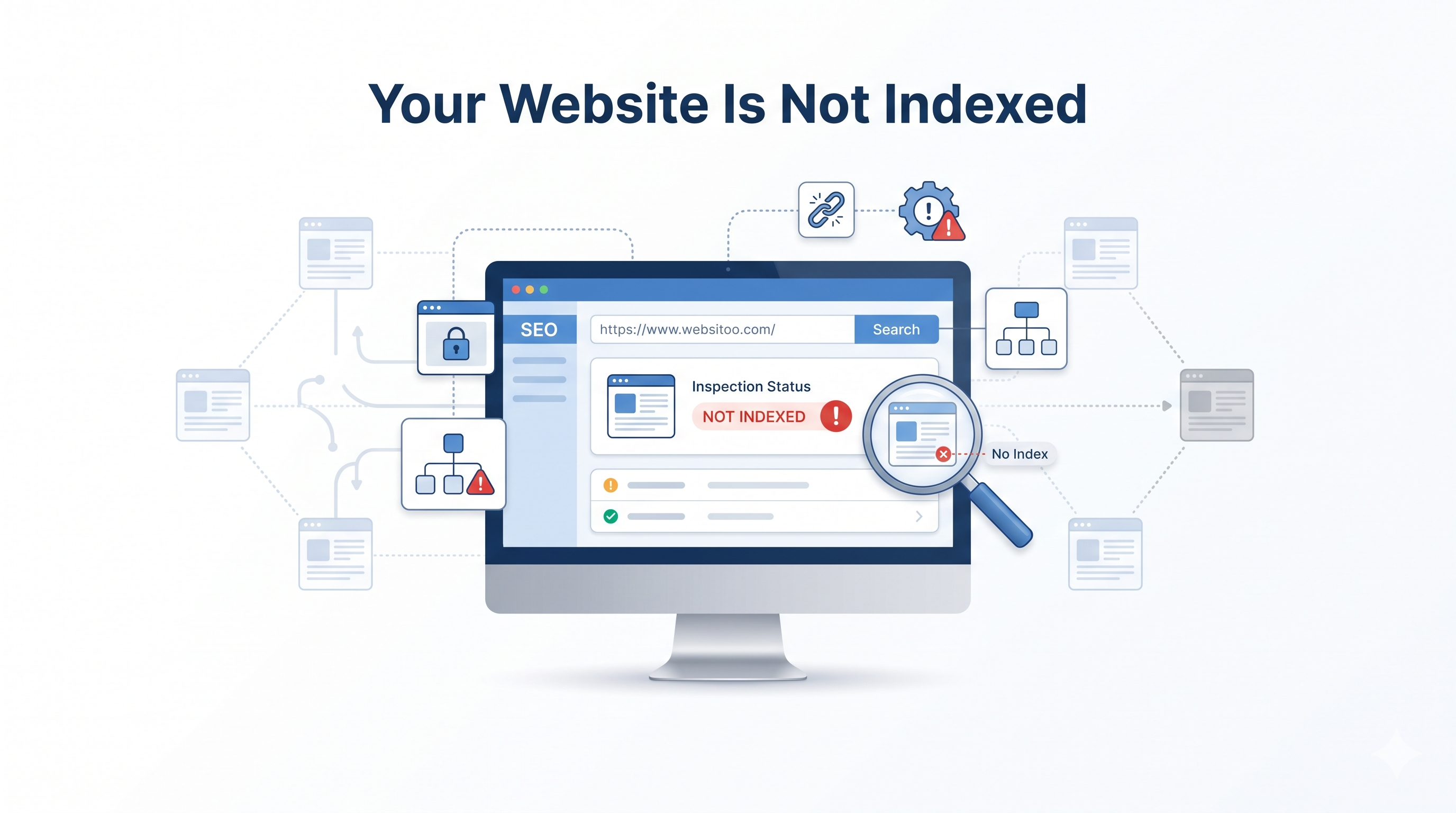
One of the first things to check is whether Google has indexed your website pages. Google must generally crawl and index a page before it can appear in its search results.
However, publishing a new page does not guarantee that Google will index it. Technical errors, blocked pages, and poor site structure can prevent Google from finding or processing your content.
How to check website indexing
Open Google Search Console and use the URL Inspection tool to check the page you want to rank. It can show whether the page is indexed and identify some reasons it may not appear in search results.
Next, check for these common problems:
- A noindex directive that prevents a page from being indexed.
- A robots.txt rule that blocks crawling.
- Broken URLs or server errors.
- Missing internal links to important pages.
- Incorrect canonical tags that point to another URL.
How to fix indexing problems
First, confirm that the page returns a successful response and allows indexing. Then, review your robots.txt file and canonical tags. Also, include important, indexable URLs in your XML sitemap and link to them from relevant pages.
Once you have fixed the problem, use URL Inspection to test the page and request indexing when appropriate. Keep in mind that a request does not guarantee indexing or higher rankings.
2. Your Website Targets the Wrong Keywords
Your website may be indexed but still receive little organic traffic because it targets keywords that your potential customers rarely use or that do not match your services.
For example, a local web design company may target the broad keyword “website design.” However, a more specific phrase such as “small business website design services” may better match what its potential customers need.
Keyword selection should reflect the words people search for, their goals, and the services you actually offer.
How to find better SEO keywords
Start by researching the terms your target audience uses when looking for information, products, or services.
Use these methods to find relevant keywords:
- Google Search Console: Review queries that already generate impressions for your website.
- Google autocomplete: Explore related phrases people enter into search.
- Keyword research tools: Compare search demand, competition, and keyword variations.
- Competitor research: Study the topics and search terms covered by pages competing for your target queries.
Focus on one primary keyword for each page, supported by closely related secondary keywords. For example, a blog targeting “why is my website not ranking on Google” could also cover website indexing, Google ranking factors, technical SEO issues, and how to improve search visibility.
Avoid forcing keywords into every paragraph. Instead, use them where they help explain the topic clearly.
3. Your Content Does Not Match Search Intent
Search intent is the reason behind a person’s search. Someone searching for “what is technical SEO” usually wants an explanation. In contrast, someone searching for “technical SEO services” may be looking for a service provider.
If your page does not match the searcher’s goal, it may struggle to compete with more relevant results.
How to match search intent
Search for your primary keyword on Google and study the types of pages that appear. Look at their format, topics, headings, and level of detail.
Then, make sure your content answers the questions your audience is likely to have.
For example, a blog about why a website is not ranking should explain the likely causes, show readers how to diagnose them, and provide practical solutions. A short page that only defines SEO will not fully answer this query.
Furthermore, structure your content so readers can find answers quickly. Use clear headings, short paragraphs, useful examples, and descriptive lists.
A helpful page should solve the reader’s problem rather than simply repeat the target keyword.
4. Your Website Has Technical SEO Issues
Technical SEO helps search engines discover, crawl, and understand your website. Even useful content can struggle to appear in search results when important technical problems prevent Google from accessing or interpreting a page correctly.
Common technical SEO problems include:
- Broken internal links and 404 errors.
- Incorrect canonical tags.
- Accidental noindex directives.
- Redirect chains or redirect loops.
- Duplicate or very similar pages.
- Important content that search engines cannot access or render.
- Server errors that prevent Google from fetching pages.
How to fix technical SEO problems
Start with Google Search Console’s Page Indexing report and URL Inspection tool. These can help you identify indexing problems and understand how Google processes individual URLs.
Next, crawl your website with a reliable SEO audit tool. Check important pages, internal links, status codes, canonical tags, and redirect paths.
Fix errors that affect key landing pages first. For instance, a service page returning a 404 error should receive attention before a minor issue on an unimportant page.
Also, make sure each important page has a clear purpose and a suitable title tag and meta description. These elements help explain the page’s topic, although a meta description is not a direct ranking factor.
Finally, check structured data where relevant. Valid structured data can make pages eligible for certain search enhancements, but it does not guarantee rich results or higher rankings.
5. Your Website Loads Slowly
A slow website can frustrate visitors and make it harder for them to read content, browse services, or complete a contact form. Website performance also matters to Google’s page experience systems.
However, page speed is only one part of SEO. Improving speed alone will not guarantee that your website reaches the first page of Google.
How to improve website speed
Start by testing important pages with Google PageSpeed Insights. Review both mobile and desktop results, then focus on the issues that have the greatest effect on real users.
Useful improvements include:
- Compressing large images and using modern image formats.
- Reducing unnecessary JavaScript and CSS.
- Enabling browser caching where appropriate.
- Improving server response times.
- Loading below-the-fold images when needed.
- Removing unnecessary plugins and scripts.
Also, review your Core Web Vitals. These measure loading performance, responsiveness, and visual stability.
As a general target, aim for a Largest Contentful Paint (LCP) of 2.5 seconds or less, an Interaction to Next Paint (INP) of 200 milliseconds or less, and a Cumulative Layout Shift (CLS) of 0.1 or less at the 75th percentile of page visits.
6. Your Website Is Not Mobile-Friendly
Many people browse websites on smartphones. Therefore, your pages need to work well on smaller screens, with readable text, clear navigation, and buttons that are easy to use.
Google primarily uses the mobile version of a website’s content for indexing. If important information is missing from your mobile pages, search engines may not understand them in the same way as your desktop pages.
How to improve mobile SEO
Review your website on different screen sizes and check the following:
- Text is readable without zooming in.
- Visitors do not need to scroll horizontally.
- Buttons and links are easy to tap.
- Menus and contact forms work correctly.
- Main content and important headings appear on mobile.
- Images fit the screen and load efficiently.
Responsive web design is a practical approach because it allows the same page to adapt to different screen sizes.
Additionally, test your important pages on a real smartphone. A page may pass a basic technical test but still provide a frustrating experience for visitors.
7. Your Website Has Weak Internal Links
Internal links connect one page on your website to another. They help visitors discover related information and help search engines understand your site’s structure.
When important pages have few or no internal links, search engines may have a harder time discovering them. Visitors may also miss useful content that could answer their questions.
How to improve internal linking
Start by identifying your most important pages, such as service pages, product pages, and high-value blog posts. Then, add links to them from relevant pages on your website.
Use descriptive anchor text that explains what the reader will find after clicking.
Avoid adding links only to increase their number. Each internal link should provide value and fit naturally into the surrounding paragraph.
Also, check for orphan pages, which are pages that have no internal links pointing to them. Add suitable links from relevant, accessible pages so visitors and search engines can find them.
8. Your Website Lacks Quality Backlinks
Backlinks are links from other websites to yours. Relevant, editorially earned backlinks can help search engines understand your website’s reputation and authority.
However, not all backlinks have equal value. Buying large numbers of links or using link schemes can violate Google’s spam policies and put your search visibility at risk.
How to earn relevant backlinks
Focus on creating resources that other websites have a genuine reason to reference.
You can build a stronger backlink profile by:
- Publishing original research or useful industry insights.
- Creating practical guides and resources.
- Contributing expert commentary to relevant publications.
- Building genuine relationships with businesses in your industry.
- Earning mentions through useful projects and community involvement.
For example, a web development company could publish a detailed guide explaining website maintenance costs. Relevant business publications may reference it when discussing website ownership.
Remember that backlinks are only one part of SEO. A page with useful content, strong search intent alignment, and sound technical SEO can still compete without a large backlink profile.
9. Your Website Content Is Outdated or Unhelpful
Google aims to provide relevant, useful results. If your content is thin, outdated, unclear, or similar to many other pages, it may struggle to stand out.
Publishing more blog posts is not always the answer. Sometimes, improving an existing page is more useful than creating another article that covers the same topic.
How to improve content quality
Review your existing pages and ask:
- Does the content answer the reader’s main question?
- Is the information accurate and up to date?
- Does it include practical advice or examples?
- Does it explain the topic more clearly than a generic overview?
- Is the content easy to scan on desktop and mobile?
- Does the page have a clear purpose for the intended audience?
For example, an article about website rankings should do more than list common SEO problems. It should explain how to check indexing, identify keyword issues, diagnose technical errors, and decide which fixes to tackle first.
Furthermore, combine overlapping articles when appropriate, remove outdated information, and add original insights based on your experience or research.
Avoid making minor changes solely to make a page appear fresh. Update content when you have something useful to improve.
How to Diagnose Why Your Website Is Not Ranking
The best way to improve Google rankings is to identify the real problem before making changes. Use the following campaign-style diagnostic framework to connect symptoms with likely causes and practical next steps.
| What you notice | Possible cause | What to do |
| A page does not appear on Google | Indexing or crawling problem | Inspect the URL in Search Console |
| Pages get impressions but few clicks | Weak titles, descriptions, or search relevance | Review search queries and improve the page’s presentation |
| A page ranks beyond the first few pages | Search intent mismatch, competition, or weak content | Compare competing results and improve usefulness |
| Organic traffic has dropped | Ranking changes, technical errors, or reduced search demand | Compare date ranges in Search Console and check site changes |
| Visitors leave quickly or struggle to contact you | Poor user experience or confusing content | Improve navigation, readability, and calls to action |
| Important pages are hard to discover | Weak internal linking or site structure | Add relevant links and review the sitemap |
These symptoms are clues, not proof of a specific cause. For example, low clicks may reflect low search demand or the search position, rather than a poor title alone.
A step-by-step SEO troubleshooting process
Step 1: Check indexing. Use URL Inspection to confirm whether your most important pages are indexed and whether Google reports any problems.
Step 2: Review search performance. In Google Search Console, compare clicks, impressions, click-through rate, and average position. Filter by individual pages and queries to see where performance is weak.
Step 3: Check search intent and keywords. Compare your page with the results for its main search terms. Make sure your content answers the same question and targets relevant phrases.
Step 4: Run a technical SEO audit. Review status codes, canonical tags, internal links, mobile rendering, and important crawl or indexing errors.
Step 5: Test website performance. Use PageSpeed Insights to find speed and Core Web Vitals problems that affect important pages.
Step 6: Improve content and internal links. Add missing information, remove repetition, strengthen relevant internal links, and make the next step clear for readers.
Step 7: Measure the results. Record your starting performance and review it again after Google has had time to recrawl the updated pages. Avoid changing everything at once because it becomes harder to identify which improvements helped.
How Long Does It Take to Improve Google Rankings?
SEO results depend on your website’s current condition, the competition for your keywords, the quality of your changes, and how quickly Google recrawls and reevaluates your pages.
Technical fixes may make a page eligible for indexing sooner, but that does not mean it will rank immediately. Content improvements and authority-building efforts may take longer to show results.
Instead of expecting an instant ranking increase, monitor meaningful signals over time:
- Whether important pages are indexed.
- Whether relevant search impressions increase.
- Whether target keywords improve in average position.
- Whether organic clicks and qualified leads grow.
- Whether important technical issues are resolved.
Use Google Search Console to track search performance and analytics tools to measure what visitors do after arriving on your website.
Frequently Asked Questions
1. Why is my website not showing up on Google?
Your website may not appear because Google has not discovered or indexed its pages, or because technical settings prevent indexing. Check Google Search Console’s URL Inspection tool to identify the page’s status and possible issues.
2. How do I get my website to rank higher on Google?
Start by fixing indexing and technical SEO problems. Next, target relevant keywords, match search intent, improve content quality, strengthen internal links, and make your website fast and mobile-friendly. Track progress using Google Search Console.
3. Why is my website indexed but not ranking?
Indexing only means Google has included a page in its index. It does not guarantee high rankings. Your page may face strong competition, target the wrong search intent, provide limited value, or lack signals that help it compete for the query.
4. Can website speed affect Google rankings?
Yes. Core Web Vitals measure loading performance, responsiveness, and visual stability. They contribute to Google’s assessment of page experience, but good scores alone do not guarantee higher rankings.
5. How long does it take for a website to rank on Google?
There is no fixed timeline. Results depend on competition, website quality, technical condition, and the work required. Google may need time to recrawl updated pages, and ranking improvements can take longer than indexing changes.
6. Which tool can help me find SEO problems?
Google Search Console helps identify indexing issues and monitor organic search performance. PageSpeed Insights measures page performance, while a website crawling tool can help find broken links, redirect problems, and other technical SEO issues.
Turn SEO Problems Into Ranking Opportunities
When your website is not ranking on Google, the best first step is to diagnose the problem rather than make random SEO changes. Check indexing, review your target keywords, improve search intent alignment, and fix technical issues that prevent search engines from accessing your content.
Next, focus on page speed, mobile usability, internal links, relevant backlinks, and helpful content. Use Google Search Console to measure progress and prioritize changes based on evidence.
SEO takes time, but a clear process makes it easier to identify problems, improve important pages, and build stronger organic search visibility.