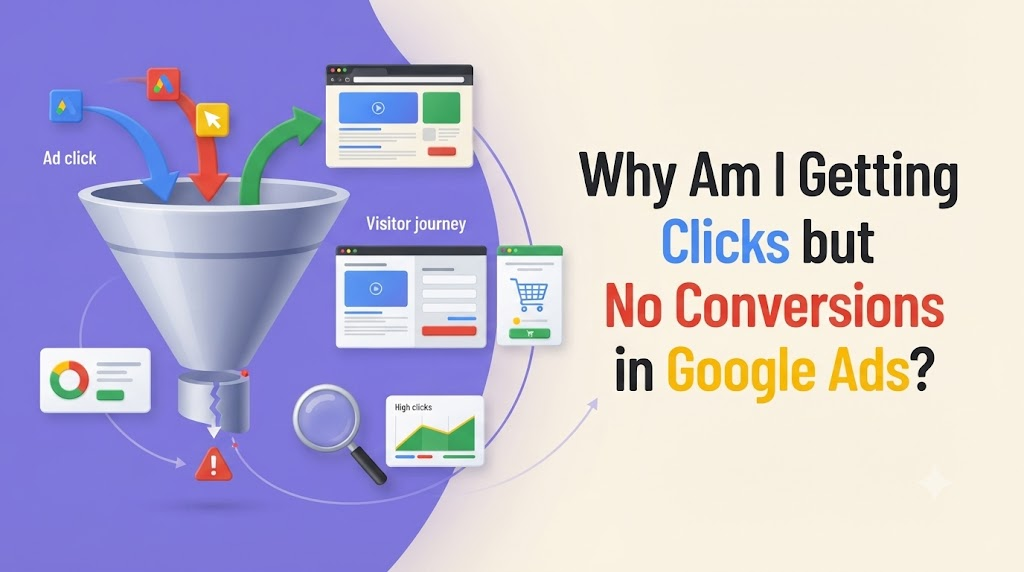
If your Google Ads clicks but no conversions problem is affecting campaign performance, check your conversion tracking, keyword intent, audience targeting, landing page experience, and call to action. Clicks show that people are visiting your website, but conversions happen only when visitors complete a valuable action, such as submitting a form, calling your business, signing up, or making a purchase. The best way to fix this problem is to verify that conversions are tracked correctly, identify why visitors are not converting, and optimize your campaign based on actual performance data.
Why Am I Getting Clicks but No Conversions in Google Ads?
Google Ads can generate clicks without conversions when your ads attract the wrong audience, your keywords do not match user intent, your landing page fails to build trust, or your conversion tracking is not working properly.
For example, a visitor may click an ad looking for a free service when your business offers a paid solution. Another visitor may be interested in your offer but leave because the website loads slowly or the contact form is difficult to complete.
Before changing your campaign, determine whether conversions are genuinely missing or simply not being recorded. This distinction helps you avoid unnecessary budget changes and identify the correct solution.
1. Check Your Google Ads Conversion Tracking
Conversion tracking is one of the first things to investigate when Google Ads receives clicks but reports no conversions. If your tracking tag, conversion event, or imported analytics goal is configured incorrectly, customers may complete actions that never appear in your Google Ads reports.
How to check conversion tracking
- Sign in to your Google Ads account.
- Open Goals and navigate to Conversions or the conversion summary.
- Review the status of your conversion actions.
- Check for inactive tags, configuration issues, or other diagnostics.
- Confirm that the correct conversion actions are included in campaign reporting and bidding.
- Test your website forms, calls, or purchases to verify that the expected events are recorded.
Use Google Tag Manager, Google Analytics 4 (GA4), or the Google tag as appropriate for your setup. Check the event implementation and ensure that the conversion fires when the intended action is completed.
Avoid counting every page view as a lead or sale. Track meaningful actions, such as a successful form submission or completed purchase, so Google Ads can optimize toward valuable results.
If customers are completing actions but conversions are missing, fix the tracking implementation before changing your advertising strategy.
2. Improve Your Keyword Targeting and Search Intent
Incorrect keyword targeting can cause Google Ads to attract visitors who are interested in a topic but not ready to become customers. Even a high click-through rate does not guarantee that your ads are reaching people who intend to purchase or contact your business.
For example, someone searching for “how to repair a leaking pipe” may want a DIY tutorial, while someone searching for “emergency plumber near me” may be looking to hire a professional.
How to improve keyword targeting
- Open your Search campaign in Google Ads.
- Navigate to the Search terms report.
- Review the actual searches that generated clicks.
- Identify queries that do not match your products, services, or offer.
- Add relevant negative keywords where appropriate.
- Create ads and landing pages that match high-intent searches.
Use keyword match types strategically and group related keywords around a clear search intent. Avoid targeting broad, unrelated queries simply to increase traffic.
Better keyword relevance can help attract visitors who are more likely to become leads or customers.
3. Optimize Your Landing Page for Conversions
A landing page that fails to convert visitors is a common reason Google Ads generates clicks without leads or sales. Your ad may successfully attract the right audience, but visitors may leave if the landing page does not clearly communicate the offer or make the next step easy.
How to improve your landing page
- Match the landing page headline with the promise made in your ad.
- Explain your main benefit clearly near the top of the page.
- Add a prominent call to action, such as “Get a Quote” or “Book a Consultation.”
- Remove unnecessary form fields.
- Display relevant testimonials, reviews, credentials, or other genuine trust signals.
- Improve mobile usability and page loading speed.
- Remove distracting elements that prevent visitors from completing the intended action.
For example, if your Google Ads promote a free consultation, the landing page should make the consultation offer clear and explain how to request it.
Avoid sending every campaign to your homepage when a dedicated landing page would better match the search intent. A relevant landing page helps visitors understand the offer and take the next step.
4. Check Your Ad Copy and Offer
Your Google Ads copy may generate clicks without conversions if it attracts curiosity rather than qualified interest. A headline can be compelling enough to earn a click but still create the wrong expectations about your product, pricing, or service.
How to improve ad copy
- Review your headlines and descriptions.
- Ensure that your offer is clear and accurate.
- Mention relevant benefits that distinguish your business.
- Set realistic expectations about pricing, eligibility, and service availability.
- Include a clear call to action.
- Align the ad message with the landing page content.
For example, if your ad promises affordable services, explain the pricing or starting price on the landing page when appropriate. If visitors discover that the actual offer differs significantly from the ad, they may leave without converting.
Use the search terms report and campaign performance data to understand which messages attract relevant visitors and which may be generating unqualified clicks.
5. Review Your Audience and Location Targeting
Google Ads may receive clicks but no conversions when your campaign reaches people who are unlikely to buy from you. Incorrect location settings, broad audience targeting, or irrelevant traffic can consume your budget without producing meaningful business results.
This is especially important for local businesses that serve only specific cities or regions.
How to check targeting settings
- Review the campaign’s location targeting.
- Confirm that your ads target the areas your business serves.
- Review location performance reports where available.
- Check device performance to identify significant differences between mobile and desktop visitors.
- Review audience settings and any targeting restrictions.
- Evaluate the quality of traffic from different segments before making exclusions.
For example, a service business operating only in Nagpur may receive irrelevant clicks if its campaign targets locations outside its service area.
Do not exclude audiences or devices based on small amounts of data. Make targeting changes when performance evidence indicates that a segment is unlikely to generate valuable conversions.
6. Improve Website Speed and Mobile Experience
Slow page loading, broken buttons, confusing navigation, and mobile usability problems can cause visitors to abandon your website before converting. These issues are particularly important when Google Ads traffic comes from mobile devices.
How to test your website
- Open your landing page on a mobile phone and desktop.
- Check whether the page loads quickly and displays correctly.
- Test every form field and call-to-action button.
- Confirm that phone numbers and email links work.
- Check for broken links, server errors, and redirect issues.
- Use Google PageSpeed Insights to identify performance improvements.
Make the primary action easy to complete without unnecessary scrolling or complicated navigation. If your landing page requires a visitor to submit a form, ensure that the form works correctly on mobile devices.
A better website experience can help reduce abandonment and improve conversion rates, although results depend on your audience, offer, and other campaign factors.
7. Evaluate Your Pricing, Trust Signals, and Offer
Sometimes Google Ads clicks but no conversions is not a technical problem. Visitors may understand your offer but decide that the price, payment terms, perceived risk, or business credibility does not meet their expectations.
How to identify offer-related problems
- Review customer feedback and common sales objections.
- Compare your offer with relevant competitors.
- Make pricing and important terms easy to understand.
- Explain what customers receive and how the service works.
- Display genuine testimonials, case studies, guarantees, or credentials where appropriate.
- Make contact information and customer support options easy to find.
Avoid adding unsupported claims or fabricated testimonials. Trust signals should accurately represent your business and the experience customers can expect.
If many visitors reach your pricing or checkout page but leave without completing the action, investigate the offer, costs, payment process, and any unexpected requirements.
8. Check Your Conversion Funnel Step by Step
If Google Ads receives clicks but no conversions, reviewing the entire conversion funnel can reveal where potential customers leave.
A typical lead-generation funnel looks like this:
Ad impression → Ad click → Landing page visit → Form or call action → Qualified lead
An ecommerce funnel may include additional steps such as product selection, adding an item to the cart, entering shipping details, and completing payment.
How to find the drop-off point
- Compare clicks in Google Ads with landing-page sessions in GA4.
- Check whether users engage with the landing page.
- Track important events, such as form starts and form submissions.
- Review checkout or lead-form abandonment where applicable.
- Identify the stage with the largest unexplained drop-off.
- Test a targeted improvement and measure the result.
Remember that Google Ads clicks and GA4 sessions are different measurements. They may not match exactly because of consent settings, tracking implementation, reporting differences, and other factors.
Use consistent event definitions and check that each funnel step is measured correctly before concluding that visitors are abandoning the website.
9. Give Your Campaign Enough Data Before Making Changes
Google Ads performance can fluctuate because of competition, changing demand, bidding adjustments, and differences in user behavior. A campaign with only a small number of clicks may not have enough data to establish a reliable conversion pattern.
What should you review?
- Total clicks and advertising cost.
- Average cost per click.
- Conversion rate.
- Number of recorded conversions.
- Cost per conversion.
- Conversion tracking status.
- Search terms and landing-page performance.
For example, ten clicks without a conversion do not automatically prove that a campaign is failing. The interpretation depends on the industry, expected conversion rate, cost per click, and value of each customer.
Use historical performance and business economics to decide when a campaign needs changes. Avoid repeatedly changing budgets, bids, and targeting based on short-term fluctuations alone.
10. Calculate Your Google Ads Conversion Rate
Your conversion rate shows the percentage of measured ad interactions that result in a conversion, according to the conversion actions and reporting method used.
The general formula is:
Conversion Rate = (Conversions ÷ Ad Interactions) × 100
For example, if your campaign receives 200 clicks and generates 10 conversions, the conversion rate is 5%.
If a campaign receives 200 clicks but reports zero conversions, investigate tracking first. If tracking works correctly, examine keyword intent, landing-page performance, the offer, and the conversion funnel.
A low conversion rate does not always mean that traffic is poor. The conversion action may be difficult to complete, the sales cycle may be longer, or customers may convert through a channel that is not being tracked.
11. How to Fix Google Ads Clicks but No Conversions: Quick Checklist
Use this checklist to troubleshoot your campaign systematically:
- Verify that conversion tracking works correctly.
- Confirm that the correct conversion actions are recorded.
- Review search terms for irrelevant traffic.
- Add appropriate negative keywords.
- Match ad copy to the search intent and landing page.
- Check location, audience, and device performance.
- Test website speed, forms, and call-to-action buttons.
- Review pricing, offer clarity, and genuine trust signals.
- Identify conversion-funnel drop-off points.
- Evaluate results using enough relevant performance data.
Start with tracking because incorrect measurement can make a successful campaign appear unsuccessful. Once tracking is verified, prioritize the issues most likely to affect conversion performance.
Conclusion
If your Google Ads clicks but no conversions problem continues, do not assume that you need more traffic or a larger budget. First verify conversion tracking, then review search intent, targeting, landing-page quality, ad copy, website performance, and the conversion funnel.
The goal is not simply to generate more clicks. It is to attract relevant visitors and make it easy for them to become leads or customers. By identifying the actual cause and testing targeted improvements, you can make better decisions about your Google Ads budget and campaign performance.
Frequently Asked Questions
1. Why am I getting clicks but no conversions in Google Ads?
Google Ads may generate clicks without conversions because of incorrect conversion tracking, irrelevant search terms, poor landing-page experience, weak offers, or unsuitable audience targeting. Verify tracking first, then investigate the visitor journey to identify where potential customers leave.
2. How many clicks should I get before expecting a conversion?
There is no universal number of clicks required for a conversion. The expected number depends on your industry, search intent, offer, landing page, and historical conversion rate. Use relevant performance data rather than assuming that a fixed number of clicks should generate a lead or sale.
3. Can Google Ads tracking problems cause zero conversions?
Yes. Missing tags, incorrect conversion events, broken implementations, or unsuitable conversion-action settings can prevent completed actions from appearing in Google Ads reports. Test the tracking setup and verify that the correct actions are recorded.
4. How can I improve my Google Ads conversion rate?
Improve keyword relevance, align ad copy with landing pages, strengthen your offer, simplify forms, improve mobile usability, and verify conversion tracking. Measure the impact of changes using a consistent conversion definition.
5. Why am I getting irrelevant clicks from Google Ads?
Irrelevant clicks may result from broad keyword targeting, unsuitable search terms, incorrect location settings, or a mismatch between your ads and your intended audience. Review the Search terms report and use relevant negative keywords to reduce unqualified traffic.
6. Should I pause my Google Ads campaign if it has clicks but no conversions?
Not necessarily. First verify tracking, examine the amount of data available, and review the cost of the clicks against your business goals. If spending is exceeding your acceptable risk limit, consider reducing exposure while investigating the problem rather than continuing to spend without a plan.
7. Does a low landing-page conversion rate mean my Google Ads are bad?
No. A low conversion rate can result from poor landing-page usability, a weak offer, mismatched traffic, tracking problems, or a difficult conversion process. Evaluate the ad, audience, landing page, and funnel together before deciding which component needs improvement.
8. Why do Google Ads clicks and GA4 sessions differ?
Google Ads clicks and GA4 sessions measure different things. Differences may arise from repeated clicks within one session, users leaving before the page loads, consent settings, tracking issues, and differences in reporting methods or time zones. Investigate significant discrepancies rather than expecting the two metrics to match exactly.
9. What is a good conversion rate for Google Ads?
A good conversion rate depends on your industry, campaign objective, traffic quality, and conversion action. Compare performance with your own historical results and relevant industry benchmarks, while considering the value and quality of the conversions generated.
10. How can I get more leads without increasing my Google Ads budget?
Improve search-term relevance, remove unproductive traffic, repair conversion tracking, optimize landing pages, simplify forms, and focus spending on campaigns that generate valuable leads. Better conversion efficiency can help you get more results from the same budget, although improvements are not guaranteed.