To rank a website fast on Google, focus on the SEO improvements that can make the biggest difference first. Check whether Google has indexed your important pages, target relevant keywords, match search intent, fix technical SEO errors, improve page speed, and strengthen internal links. Next, update weak content and earn relevant backlinks. Use Google Search Console to track impressions, clicks, and average positions. These steps can improve your chances of ranking higher, but no method guarantees instant rankings.
Want to rank a website fast on Google and attract more visitors without relying entirely on paid advertising? The key is to identify what prevents your website from ranking and fix those problems in the right order. Many businesses publish blog posts, update website pages, and add keywords but still struggle to appear in search results. This often happens because their pages target the wrong keywords, fail to match search intent, or have technical issues that affect crawling and indexing.
The good news is that you do not always need to rebuild your entire website. By focusing on relevant keywords, useful content, technical SEO, and a better user experience, you can improve your website’s search visibility and build a stronger foundation for organic traffic.
This step-by-step guide explains how to rank a website fast on Google, which SEO improvements to prioritize, and how to measure whether your efforts are working.
1. Check Whether Google Has Indexed Your Website
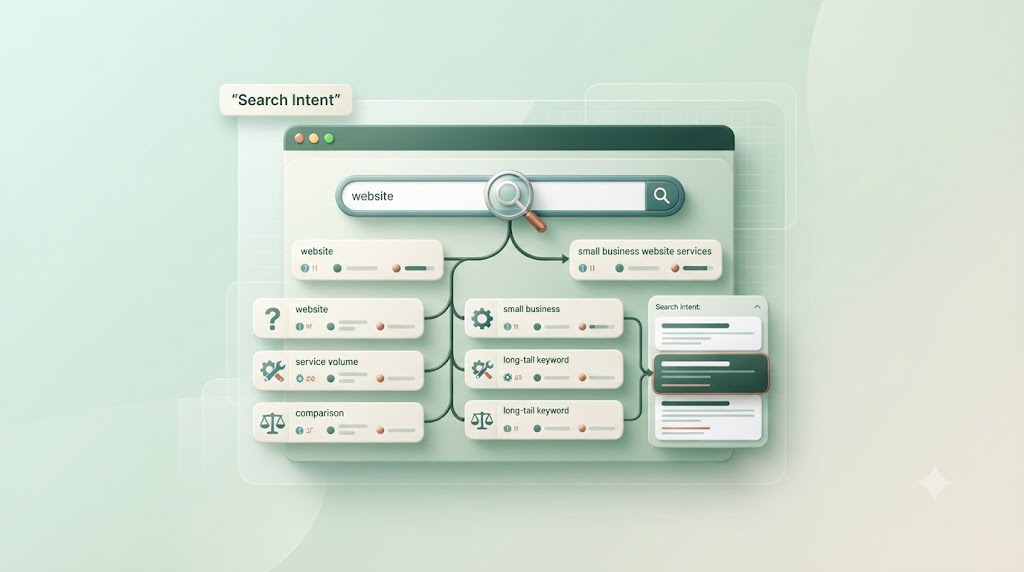
Before trying to improve Google rankings, confirm that Google can discover and index your important pages. A page generally needs to be indexed before it can appear in Google’s organic search results.
Publishing a new blog does not guarantee that Google will index it. For this reason, checking indexing should be one of your first SEO tasks.
How to check Google indexing
Open Google Search Console and use its URL Inspection tool to examine an important page. Review the indexing status and any reported problems.
Next, check for these common issues:
- Noindex tags: These can tell search engines not to index a page.
- Robots.txt restrictions: These can block crawling of certain URLs.
- Incorrect canonical tags: These may point Google toward a different version of the page.
- Broken URLs: Pages returning errors may not be accessible.
- Weak internal linking: Important pages may be difficult to discover.
Once you identify a problem, fix it before focusing on more advanced SEO tactics. For example, improving the content of a page that is accidentally marked noindex will not solve the indexing issue.
You can also review your XML sitemap to make sure it contains important, indexable URLs.
For more guidance, read Ecsion’s guide to optimizing a website sitemap for SEO.
2. Find Keywords That Can Help Your Website Rank Faster
Keyword research helps you understand what your target audience searches for and which topics deserve attention. However, choosing a keyword only because it has a high search volume can waste time and resources.
Instead, look for relevant search terms that match your services, content, and audience needs.
How to find the right SEO keywords
Start with the main topic of your page. Then, identify related phrases that people might use when searching for information or solutions.
For example, a small business looking to improve its website visibility might target:
| Keyword | Search intent | Suitable content |
| How to rank a website fast on Google | Informational | Step-by-step SEO guide |
| Website not ranking on Google | Problem-solving | Troubleshooting article |
| Technical SEO services | Commercial | Service page |
| Website SEO audit checklist | Informational | Checklist or guide |
| Improve website search visibility | Informational | SEO improvement guide |
Use Google Search Console to find queries that already generate impressions for your website. Keyword research tools can also help you compare search demand, competition, and related phrases.
Focus on relevant, specific keywords
Long-tail keywords are often more specific than broad search terms. They can help you create content that directly addresses a clear need.
For example, instead of targeting only “SEO,” a business could target “how to improve website rankings for local services” when that topic matches its audience.
However, do not assume that every long-tail keyword is easy to rank for. Check the competing results and make sure the topic is relevant to your business.
For more practical guidance, explore Ecsion’s article on improving your website SEO.
3. Match Search Intent Before Optimizing Content
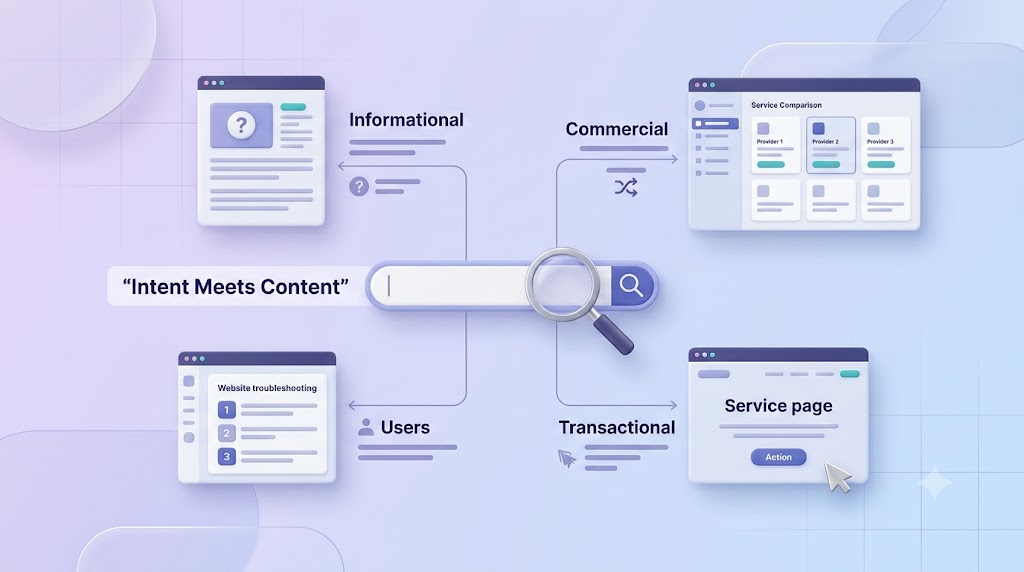
Search intent is the reason behind a search query. A person searching for a definition wants an explanation, while someone searching for a service may be ready to compare providers.
Your content needs to match that purpose.
For example, someone searching for “how to fix website indexing issues” expects clear instructions. A page that only promotes SEO services may not answer that question well.
How to match search intent
Search for your primary keyword and examine the types of pages that appear. Look at the topics they cover, the questions they answer, and the format they use.
Then, improve your page so it addresses the searcher’s needs directly.
Use these guidelines:
- Create informational blog posts for learning-focused queries.
- Build detailed service pages for commercial searches.
- Use comparison pages when readers need to evaluate options.
- Add practical steps and examples when users want to solve a problem.
- Answer the main question near the beginning of the page.
Furthermore, use headings that describe the information below them. This makes your content easier to scan and helps readers find answers without reading every paragraph.
Matching search intent is more useful than repeating a keyword throughout the page without adding meaningful information.
4. Optimize On-Page SEO for Better Google Rankings
On-page SEO helps search engines and readers understand the topic of each page. It includes page titles, headings, URLs, body content, images, and internal links.
Small improvements can make a page clearer and more relevant. However, every change should support the reader’s needs rather than simply increase keyword frequency.
Improve your title tag and meta description
Write a unique title tag that explains the page’s main topic. Include the primary keyword naturally when it fits.
For this article, the title is:
How to Rank a Website Fast on Google: A Step-by-Step Guide
Next, create a useful meta description that summarizes the article. A clear description can help users understand why the page is relevant, although Google may display a different snippet.
Use headings to organize the page
Use one clear H1 for the main title. Organize the main sections with H2 headings and use H3 headings for supporting points.
Include related keywords where they accurately describe the section. Avoid adding the exact same phrase to every heading.
Optimize URLs and images
Keep URLs descriptive and easy to understand. Use relevant image filenames and write alt text that describes the image for people who use screen readers or when an image cannot be viewed.
For example, an image showing an SEO dashboard could use the alt text “SEO dashboard displaying website search performance.”
Do not insert unrelated keywords into alt text. Image optimization should improve accessibility and page performance, not serve as a place to repeat search phrases.
5. Fix Technical SEO Issues That Hold Back Rankings
Technical SEO helps search engines crawl, render, and understand your website. Problems in these areas can make it harder for your content to appear in search results.
Common issues include broken links, incorrect redirects, duplicate URLs, server errors, and pages that cannot be indexed.
Run a technical SEO audit
Start by reviewing important pages instead of trying to fix every minor issue at once.
Check the following areas:
- Crawlability: Can search engines access important pages?
- Indexability: Are the correct pages allowed to appear in search results?
- Status codes: Do important URLs return the expected response?
- Canonical tags: Do they identify the preferred page version?
- Internal links: Can visitors and search engines reach important pages?
- Structured data: Is relevant markup valid and consistent with visible content?
- Mobile rendering: Is the main content available on mobile devices?
For example, imagine that a service page has valuable content but redirects through several URLs before reaching the final page. Simplifying the redirect path can make the site easier to maintain and help search engines reach the intended destination.
Prioritize problems that affect important pages, then review the results after making changes.
If your website has deeper technical issues, Ecsion’s website ranking troubleshooting guide offers further diagnostic steps.
6. Improve Website Speed and Core Web Vitals
Website speed affects how quickly visitors can access content and interact with a page. A slow website can frustrate users, particularly on mobile connections.
Google also uses page experience signals, including Core Web Vitals, as part of its broader ranking systems. However, a perfect performance score does not guarantee a first-page position.
How to improve website performance
First, test your important pages with PageSpeed Insights. Review mobile and desktop results, then focus on the issues with the greatest effect on users.
Practical improvements include:
- Compressing large images.
- Using suitable modern image formats.
- Removing unnecessary JavaScript and CSS.
- Reducing the impact of third-party scripts.
- Improving server response times.
- Using caching where appropriate.
- Loading below-the-fold images only when needed.
Monitor the three Core Web Vitals
| Metric | What it measures | Good target |
| Largest Contentful Paint (LCP) | Loading performance | 2.5 seconds or less |
| Interaction to Next Paint (INP) | Responsiveness | 200 milliseconds or less |
| Cumulative Layout Shift (CLS) | Visual stability | 0.1 or less |
These targets apply at the 75th percentile of page visits. Use real-user data where available, because a single laboratory test does not represent every visitor’s experience.
For example, a business website may load slowly because its main banner image is too large. Compressing that image and reducing unnecessary scripts can improve loading performance without changing the page’s core design.
To understand how website problems affect business results, read Ecsion’s article on website problems that cost sales.
7. Make Your Website Mobile-Friendly
Google primarily uses the mobile version of a website’s content for indexing. Therefore, your mobile pages should contain the important information available on desktop and provide a clear browsing experience.
A page that looks good on a large screen may be difficult to use on a smartphone. Small text, crowded buttons, and menus that do not work can discourage visitors from exploring the site.
Mobile SEO improvements to make
Check your website on different screen sizes and confirm that:
- Text is readable without zooming.
- Navigation menus work correctly.
- Buttons and links are easy to tap.
- Forms are simple to complete.
- Images fit the screen.
- Important headings and content appear on mobile.
- The mobile version contains the same essential information as the desktop version.
Responsive web design is a practical way to adapt a website to different screen sizes.
In addition, test your main pages on a real phone. This helps you spot usability problems that may not be obvious during a desktop review.
Read Ecsion’s guide to mobile-first indexing and mobile SEO for more ways to improve your mobile website.
8. Improve Existing Content Instead of Publishing More Pages
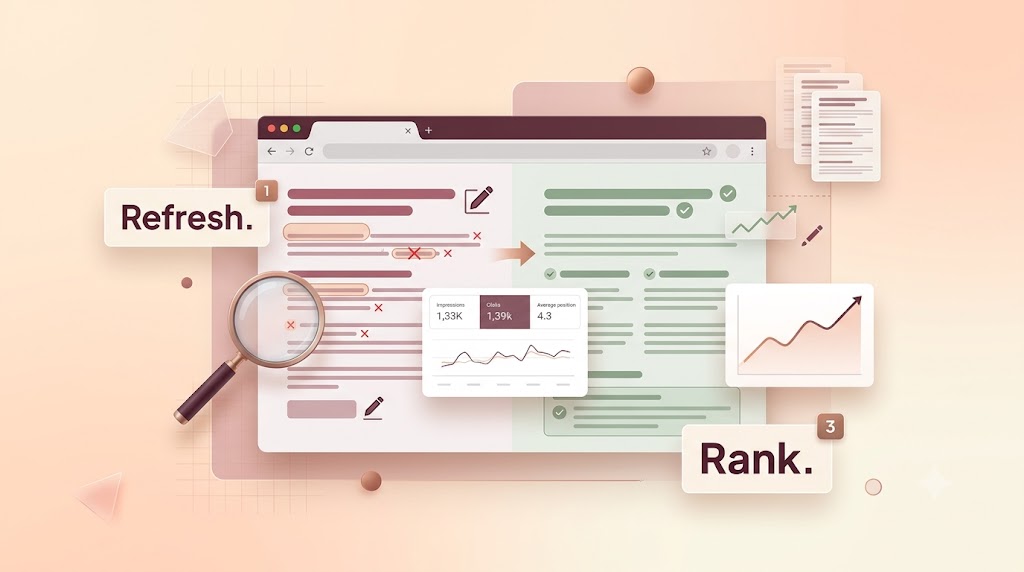
Publishing useful content can help your website cover relevant topics and answer audience questions. However, adding more pages is not always the fastest route to better rankings.
Sometimes, an existing page already receives impressions but fails to attract clicks or rank well. Improving that page may be more useful than creating another article on the same topic.
How to improve underperforming content
Use Google Search Console to identify pages with relevant impressions but limited clicks or weak average positions. Then, review each page to find gaps.
Ask these questions:
- Does the introduction answer the main question?
- Is the information accurate and useful?
- Does the page match the search intent?
- Are important subtopics missing?
- Are the examples practical and relevant?
- Are there repeated paragraphs or unnecessary sections?
- Does the page link to related content on your website?
For example, an article about website ranking might mention keyword research but fail to explain how to choose target phrases. Adding a clear process and a realistic example makes the article more useful.
Also, update outdated information when there is a real reason to do so. Remove unnecessary repetition, improve unclear explanations, and combine overlapping pages when appropriate.
For a wider content strategy, explore Ecsion’s guide on choosing an SEO agency for better AEO visibility.
9. Build Relevant Backlinks and Strengthen Internal Links
Links help connect pages across the web and within your website. Internal links guide visitors to related content, while backlinks can help search engines discover pages and understand how other sites refer to your content.
However, link quality and relevance matter more than simply collecting a large number of links.
Strengthen your internal linking
Start with your most important service pages, product pages, and blog posts. Add contextual links from related articles using descriptive anchor text.
For example, an article about website speed could link to a related guide about technical SEO when that resource helps readers understand the next step.
Avoid generic anchor text such as “click here” when a more descriptive phrase would explain the destination. Also, check for important pages that have no internal links pointing to them.
Earn relevant backlinks
You can build a stronger backlink profile by publishing original research, useful resources, expert explanations, and content that other relevant websites may want to reference.
Other practical approaches include contributing useful industry insights and building genuine relationships with relevant publications or business communities.
Avoid buying links intended to manipulate rankings, using link schemes, or creating large numbers of low-quality links. These tactics can create risks without offering lasting value.
For businesses that want to connect website visibility with lead generation, Bizfire offers a business growth platform focused on online visibility and customer conversion. Keep your SEO work centered on relevant content and genuine value rather than link volume alone.
10. Use Structured Data and Clear Answers to Support AEO
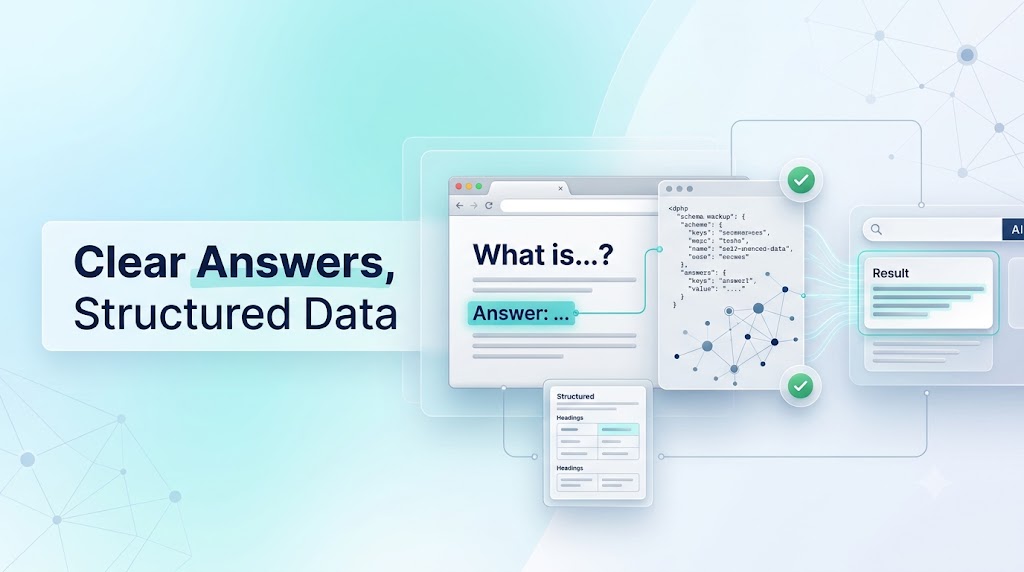
Search engine optimization helps your pages compete in traditional search results. Answer engine optimization (AEO) focuses on making information clear, useful, and easy for answer systems to understand and reference.
Neither approach guarantees that your website will be cited in an AI-generated answer. However, clear content and sound technical foundations can make your information easier to interpret.
Make your content easy to understand
Start by answering the main question directly. Then, explain the reasoning and provide useful steps or examples.
Use descriptive headings, concise definitions, and relevant supporting details. Organize information so that each section answers a specific question.
For example, a section titled “How to Check Google Indexing” should explain the process directly rather than starting with a long general discussion of SEO.
Use structured data where appropriate
Structured data helps search engines understand certain types of information on a page. Use the schema type that accurately describes the visible content, and validate the markup before publishing.
Do not add structured data that misrepresents the page or expect it to improve rankings automatically. Eligibility for a search enhancement depends on Google’s requirements and other factors.
Finally, keep business details, author information, and important claims accurate. Clear, trustworthy content supports both readers and search systems.
11. Measure SEO Results and Prioritize the Next Fix
An effective SEO strategy is based on evidence, not guesswork. After making changes, measure how your pages perform and decide what to improve next.
Google Search Console is useful for tracking search impressions, clicks, click-through rate, and average position. Website analytics can help you understand what visitors do after they arrive.
Use this SEO diagnostic framework
| What you notice | Possible cause | Recommended action |
| A page is not indexed | Crawl or indexing issue | Inspect the URL and fix reported problems |
| Impressions are rising, but clicks remain low | Search relevance, title, snippet, or position | Review queries and improve the page’s presentation |
| A page ranks poorly for its target term | Competition, weak content, or intent mismatch | Compare search results and improve the content |
| Organic traffic has declined | Ranking changes, technical errors, or demand changes | Compare time periods and investigate affected pages |
| Visitors arrive but few become leads | Unclear content, poor usability, or weak conversion path | Improve page clarity, contact options, and calls to action |
| Important pages receive little organic visibility | Weak internal linking or limited topical coverage | Add relevant links and improve supporting content |
These symptoms are clues rather than proof. For instance, low clicks may be caused by a lower search position or limited search demand, not just a weak title.
Follow a simple review cycle
Step 1: Record a baseline. Note current impressions, clicks, average positions, and conversions for the pages you want to improve.
Step 2: Choose the main problem. Identify whether the issue involves indexing, keywords, content, technical SEO, or conversion.
Step 3: Make focused changes. Prioritize the fixes that address the identified problem. Avoid changing every page at once.
Step 4: Allow time for recrawling. Google needs time to discover changes and reevaluate pages. Results will vary.
Step 5: Compare performance. Review the same pages and relevant queries over a suitable period. Consider seasonality and changes in search demand before drawing conclusions.
Step 6: Decide what to do next. Keep improvements that help, investigate weak results, and choose the next high-priority issue.
This process makes it easier to learn which changes are useful and where your SEO effort should go next.
How Long Does It Take to Rank a Website on Google?
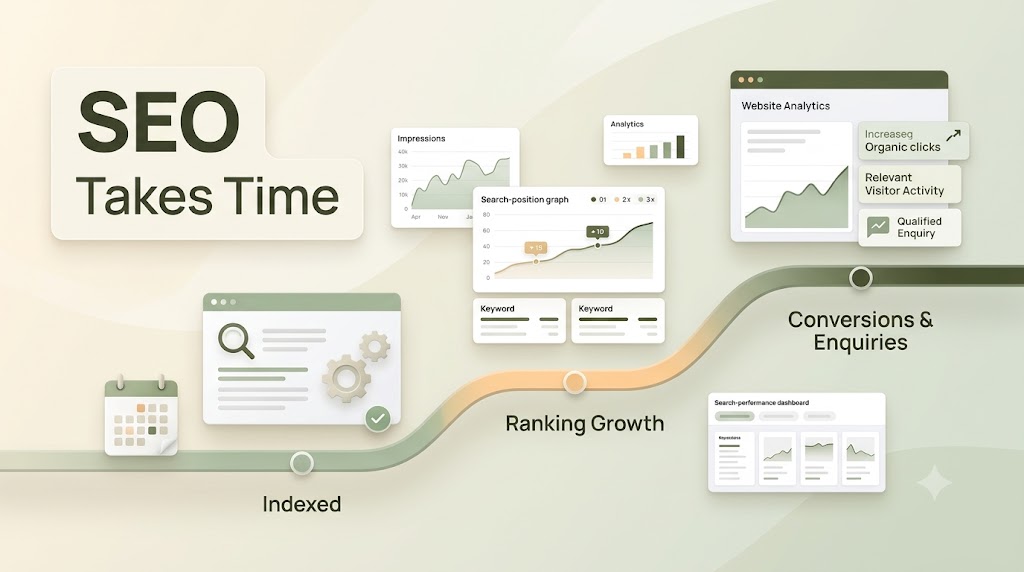
There is no fixed timeline for ranking a website on Google. Some technical changes may help Google access a page sooner, while competitive keywords and broader content improvements may take much longer to show results.
The timeline depends on factors such as the website’s current condition, competition, content quality, technical health, and the changes made.
Rather than promising instant rankings, track progress through meaningful signals:
- Important pages are indexed.
- Relevant search impressions increase.
- Target queries improve in average position.
- Organic clicks grow.
- More relevant visitors reach key pages.
- Qualified enquiries increase.
Remember that indexing is not the same as ranking, and ranking is not the same as generating business. A successful SEO strategy should help the right audience find useful information and take meaningful next steps.
Frequently Asked Questions
1. How can I rank a website fast on Google?
Start by checking indexing, choosing relevant keywords, matching search intent, and fixing major technical SEO problems. Then improve content, page speed, mobile usability, and internal links. Track progress with Google Search Console.
2. Can a new website rank on Google quickly?
Yes, a new website can appear in search results, but competitive rankings are not guaranteed. Make important pages crawlable and indexable, publish useful content, target relevant search terms, and build a clear internal link structure.
3. Why is my website indexed but not ranking?
Indexing means Google has included a page in its index. It does not guarantee high rankings. The page may not fully match search intent, may face strong competition, or may need more useful content and stronger internal links.
4. Do keywords help websites rank higher on Google?
Relevant keywords help you understand and address what people search for. Use them naturally in titles, headings, and content where appropriate. Repeating keywords excessively does not guarantee higher rankings and can make content harder to read.
5. Does website speed affect Google rankings?
Page experience, including Core Web Vitals, is part of Google’s ranking systems. However, speed is only one consideration. Relevant content, search intent, technical accessibility, and other signals also influence search performance.
6. How can I check my website’s Google ranking?
Use Google Search Console to review search queries, impressions, clicks, click-through rate, and average position. Filter by page and query to understand how your website performs for relevant searches.
Build a Faster Path to Better Google Rankings
Learning how to rank a website fast on Google starts with identifying the issues that prevent important pages from performing well. Check indexing first, then focus on keyword research, search intent, technical SEO, website speed, mobile usability, content quality, and relevant links.
Next, measure the results and prioritize improvements based on what your data reveals. Avoid shortcuts that promise instant rankings or rely on keyword stuffing and manipulative link-building tactics.
A clear, consistent SEO process helps you improve website search visibility, attract relevant organic traffic, and create a better experience for potential customers. While rankings take time and cannot be guaranteed, the right improvements give your website a stronger foundation for sustainable growth.