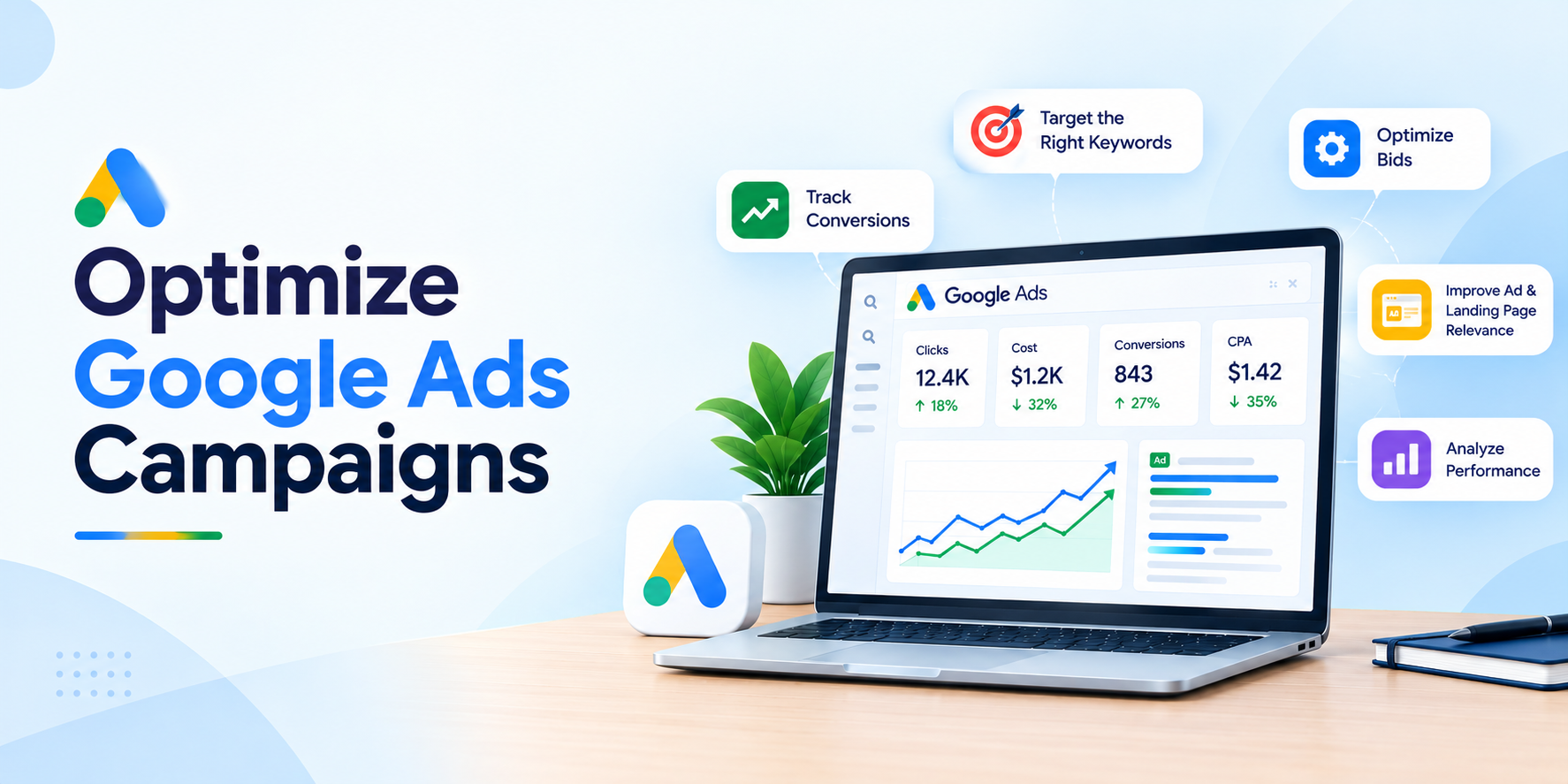
Google Ads can help businesses reach potential customers who are actively searching for their products or services. However, running ads does not automatically guarantee affordable clicks, qualified leads, or profitable sales. Without the right optimization strategy, businesses may spend their advertising budget on irrelevant searches, low-converting traffic, or campaigns that fail to generate meaningful results.
The best way to optimize Google Ads campaigns is to track conversions accurately, target relevant search terms, improve ad and landing page relevance, select an appropriate bidding strategy, and regularly analyze cost per conversion. Instead of focusing only on clicks or ad positions, advertisers should measure whether their campaigns generate valuable business outcomes.
In this guide, you will learn how to optimize Google Ads campaigns, reduce wasted advertising spend, improve ad visibility, understand Search Top Impression Share, and turn more clicks into leads or sales.
What Is Google Ads Optimization?
Google Ads optimization is the process of analyzing and improving campaign settings, keywords, advertisements, bidding strategies, targeting, and landing pages to achieve better advertising results.
The goal is not simply to get more clicks or spend less money. Effective optimization aims to generate more qualified conversions at a sustainable cost while maximizing the value of your advertising budget.
For example, imagine two campaigns that each spend $500. Campaign A generates 100 clicks and five qualified leads, while Campaign B generates 80 clicks and 12 qualified leads. Although Campaign A receives more clicks, Campaign B delivers a lower cost per qualified lead.
This example illustrates why advertisers should evaluate conversions and business outcomes instead of relying on traffic metrics alone.
Why Is Google Ads Optimization Important?
Google Ads optimization helps businesses:
- Reduce wasted spending on irrelevant searches.
- Attract users who are more likely to convert.
- Improve ad relevance and landing page experience.
- Identify profitable keywords, locations, and devices.
- Make better decisions about bidding and budgets.
- Improve the cost efficiency of lead generation and sales campaigns.
The exact results depend on competition, audience demand, campaign quality, conversion data, and the offer being advertised. Optimization improves decision-making, but it cannot guarantee lower costs in every auction.
1. Track Conversions Correctly Before Optimizing Your Campaign
Conversion tracking is one of the first things advertisers should review when optimizing Google Ads. It helps determine which campaigns, keywords, advertisements, and landing pages contribute to valuable actions.
What is conversion tracking in Google Ads? Conversion tracking measures important actions people take after interacting with your ads, such as submitting a lead form, making a purchase, or calling a business.
Without accurate conversion data, advertisers may struggle to distinguish campaigns that generate real business results from those that generate clicks without meaningful outcomes.
Which Conversions Should You Track?
Choose conversion actions based on your business objectives.
- Lead generation: Qualified form submissions, booked appointments, and calls that meet your business criteria.
- E-commerce: Completed purchases and, where appropriate, purchase revenue.
- Local services: Relevant phone calls, appointment requests, and confirmed bookings.
- B2B businesses: Qualified leads, sales opportunities, and closed deals where the data can be reliably connected.
Not every website interaction should be treated as a primary conversion. For example, a page view or button click may indicate interest, but it does not necessarily represent a qualified lead or sale.
How to Check Google Ads Conversion Tracking
- Open your Google Ads account.
- Navigate to Goals and review your conversion actions.
- Confirm that the intended actions are configured correctly.
- Test your forms, calls, purchases, or other conversion flows.
- Check for duplicate events and incorrectly counted conversions.
- Where possible, import qualified leads or offline sales to improve measurement of actual business value.
Use Google Tag Manager or the appropriate Google tag setup when needed. Verify that tracking works across the full conversion journey, including thank-you pages, forms, and supported call-tracking workflows.
Optimization tip: Before changing bids or budgets, make sure your conversion data is reliable. Automated bidding strategies depend on the conversion goals and signals provided to them.
2. Optimize Keywords and Search Terms to Reduce Wasted Spend
Keyword optimization helps advertisers reach people whose searches match the products or services being promoted. However, the keywords you choose and the actual search terms that trigger your ads are not always identical.
How can you reduce wasted Google Ads spend? Review your Search Terms report, identify irrelevant or low-value queries, and use appropriate negative keywords to prevent ads from showing for searches that do not match your business objectives.
Find High-Intent Keywords
High-intent keywords often indicate that someone is researching a specific solution or is ready to take action.
For example, a business offering dog spay services might evaluate searches such as:
- Dog spay cost
- Affordable dog spay service
- Dog spay appointment near me
- Dog spay clinic
The best keywords depend on the services actually offered, the locations served, and the intent behind each query. Research search terms before assuming that a particular keyword will generate profitable leads.
Review the Search Terms Report.
The Search Terms report shows actual searches that triggered your ads, subject to Google’s reporting and privacy thresholds.
Review the report regularly to identify:
- Searches that are unrelated to your services.
- Queries that attract clicks but rarely generate valuable conversions.
- New relevant searches that may deserve dedicated keywords or ad groups.
- Search intent that is not adequately addressed by your ads or landing pages.
Evaluate results over an appropriate period and consider conversion delays before making major changes.
Use Negative Keywords Carefully
Negative keywords help prevent ads from appearing for selected unwanted searches. For example, a paid training provider might exclude searches containing terms such as “free course” if free training is not part of its offering.
However, negative keywords should be added only after reviewing the query’s meaning and business relevance. Overly broad exclusions can block valuable traffic.
Understand Broad, Phrase, and Exact Match
Keyword match types control how closely a user’s search must relate to your keyword before your ad can be eligible to appear.
- Broad match: Can reach a wider range of relevant searches using contextual signals.
- Phrase match: Can reach searches that include the meaning of your keyword.
- Exact match: Generally offers more restrictive matching around searches with the same meaning or intent.
Match types do not guarantee a particular search volume or conversion rate. Choose them according to your campaign goals, available conversion data, and ability to monitor search-term quality.
3. Improve Google Ads Quality Score and Ad Relevance
Google Ads Quality Score is a diagnostic metric that helps advertisers understand how their keywords, ads, and landing pages compare with other advertisers. It is reported on a scale from 1 to 10 at the keyword level for eligible search campaigns.
How does the quality score affect Google Ads costs? Quality score helps identify potential ad-quality problems, but the score itself is not a direct auction input. Google evaluates ad quality as part of ad rank, which can affect ad eligibility and placement. Better ad quality can contribute to stronger performance and lower costs in appropriate circumstances.
Quality Score has three main diagnostic components.
Improve Expected Click-Through Rate
Expected click-through rate estimates how likely your ad is to receive a click when shown for a keyword.
To improve the relevance and appeal of your ads:
- Write clear headlines that reflect the user’s search.
- Highlight relevant services, products, or benefits.
- Communicate what makes your offer useful.
- Use accurate calls to action.
- Avoid misleading claims or promises that the landing page cannot fulfill.
A higher CTR is not automatically better if the additional clicks come from users who are unlikely to convert.
Improve Ad Relevance
Ad relevance indicates how closely your advertisement relates to the intent behind a user’s search.
Organize related keywords into logically structured ad groups. Write headlines and descriptions that address the relevant product, service, or problem, rather than using the same generic message for every search.
For example, an ad for “dog spay cost” should clearly address pricing or explain how users can obtain a quote. Sending those users to an unrelated general page creates a less coherent experience.
Improve Landing Page Experience
The landing page should deliver what the advertisement promises. Visitors should be able to understand the offer, find important information, and complete the intended action without unnecessary difficulty.
Improve the page by:
- Making it mobile-friendly and easy to navigate.
- Providing relevant and useful content.
- Improving loading performance.
- Making forms and calls to action easy to find.
- Displaying accurate pricing, service details, and contact information.
- Avoiding intrusive elements that interfere with the user’s task.
Important: Do not optimize solely to achieve a Quality Score of 10/10. Use the component ratings to diagnose problems, then evaluate the impact on conversions and cost efficiency.
4. Choose the Right Google Ads Bidding Strategy
Your bidding strategy determines how Google Ads bids in auctions according to your selected campaign objective and settings. The right approach depends on whether your priority is website traffic, lead generation, sales, or revenue.
Which bidding strategy is best for reducing Google Ads costs? There is no single strategy that works best for every campaign. Advertisers seeking conversions may consider Maximize Conversions or Target CPA, while advertisers focused on conversion value may consider Maximize Conversion Value or Target ROAS.
Maximize Clicks
Maximize Clicks aims to generate as many clicks as possible within the available budget and bidding constraints.
It may suit campaigns whose main goal is traffic acquisition, but more clicks do not necessarily mean more leads or sales. Monitor traffic quality and conversion outcomes when using this strategy.
Maximize Conversions
Maximize Conversions aims to generate as many recorded conversions as possible within the campaign’s budget.
It can be appropriate for lead generation or sales campaigns when conversion tracking is reliable and the chosen conversion actions represent meaningful outcomes. Monitor conversion quality and total cost, not just conversion volume.
Target CPA
Target cost per acquisition (Target CPA) is designed to help generate conversions at an average cost aligned with a target you set.
Set a realistic target based on historical performance, conversion quality, and business economics. An unrealistically low target can restrict delivery or reduce conversion volume.
Target ROAS
Target return on ad spend (Target ROAS) is designed to optimize for conversion value relative to advertising spend.
It is generally more suitable when conversion values are measured reliably, such as e-commerce purchases with different order values. Assigning inaccurate or arbitrary values can lead to poor optimization decisions.
Common Bidding Mistakes to Avoid
Avoid changing bidding strategies repeatedly without allowing enough time and data to evaluate performance. Do not select a strategy solely because it sounds advanced, and do not set aggressive targets without considering historical results and the time it takes for conversions to occur.
Choose a strategy that matches your actual business objective, then assess whether it produces profitable outcomes.
5. Understand Search Top Impression Share and Ad Rank
Search Top Impression Share is an important metric for advertisers who want to understand how frequently their ads appear among the top ads above organic Google Search results.
What is Search Top IS in Google Ads? Search Top Impression Share is the impressions your ad received in the top ad locations divided by the estimated number of impressions it was eligible to receive in those locations.
For example, suppose a campaign receives 600 top impressions out of an estimated 1,000 eligible top impressions. Its Search Top Impression Share would be 60%.
This metric helps advertisers evaluate top-placement visibility. It does not directly measure conversion quality, profitability, or the total number of customers acquired.
Search Top IS vs. Search Absolute Top IS
These metrics measure different levels of ad prominence.
- Search Top IS: Measures the share of eligible top-placement impressions received.
- Search Absolute Top IS: Measures the share of eligible impressions received in the very first ad position among the top ads.
Absolute top placement is not always the most cost-effective option. A business may generate more profitable leads from a less prominent placement if its costs and conversion rates are better.
What Is Search Lost IS (Rank)?
Search Lost Impression Share (Rank) estimates the share of eligible impressions lost because of Ad Rank.
Ad Rank helps determine whether an ad is eligible to show and where it appears. It depends on several auction-time factors, including your bid, ad quality, competition, search context, and the expected impact of ad assets and formats.
If Search Lost IS (Rank) is high, investigate ad relevance, landing page experience, bids, and other factors affecting Ad Rank. Increasing bids may help in some situations, but it is not automatically the best solution.
What Is Search Lost IS (Budget)?
Search Lost Impression Share (Budget) estimates the share of eligible impressions lost because of budget limitations.
If budget-related impression loss is high, review whether the campaign is constrained by its daily budget and whether additional spend could generate profitable incremental conversions.
Before increasing the budget, examine conversion performance, search-term quality, and marginal cost. Spending more is worthwhile only when the additional traffic is likely to provide sufficient business value.
How to Improve Search Top Impression Share Without Overspending
- Review Search Top IS and Search Absolute Top IS.
- Compare impression-share loss caused by rank and budget.
- Check the relevance and performance of keywords and ads.
- Improve landing page experience where needed.
- Evaluate bidding changes against cost per conversion.
- Increase budget only when the expected incremental return justifies it.
The objective is not necessarily to achieve 100% Search Top IS. It is to capture valuable search demand at a sustainable cost.
6. Improve Ad Copy to Increase Relevant Clicks
Your ad copy influences how users understand your offer and whether they choose to visit your website.
A strong Search ad should communicate the relevance of your offer, set accurate expectations, and make the next step clear.
Write Relevant Headlines and Descriptions
Use headlines that reflect the user’s intent and explain the value of your product or service. Descriptions should provide useful details, address common concerns, and include an appropriate call to action.
For example, an ad for a service business might highlight service availability, transparent pricing, or a simple booking process if those claims are accurate.
Avoid repeating keywords unnaturally or making unsupported claims about being the cheapest, best, or guaranteed to deliver a particular result.
Use Responsive Search Ads Effectively
Responsive Search Ads allow advertisers to provide multiple headlines and descriptions that Google can combine in different ways.
Provide distinct, relevant messages rather than many nearly identical variations. Make sure each asset communicates accurate information and works appropriately in different combinations.
Review asset performance and overall campaign results, recognizing that asset-level metrics may not provide a complete picture of incremental performance.
Add Relevant Ad Assets
Depending on your campaign and business, useful assets may include:
- Sitelinks to important website pages.
- Callouts describing genuine benefits.
- Structured snippets describing available services.
- Call assets for businesses that accept calls.
- Location assets for eligible local businesses.
Assets can provide additional information and improve the usefulness of your ad. Their display is not guaranteed, and they should be relevant to the campaign.
7. Improve Landing Page Conversion Rates
A landing page is the page visitors reach after clicking your advertisement. Even a well-targeted campaign can underperform if the landing page is confusing, slow, irrelevant, or difficult to use.
How can you get more conversions without increasing ad spend? Improve the percentage of existing visitors who complete valuable actions by aligning the landing page with search intent, simplifying the conversion process, and removing barriers that prevent users from taking action.
Match the Landing Page to Search Intent
Someone searching for a product price expects pricing information or a clear way to request a quote. Someone searching for a particular service expects details about that service.
Use a landing page that answers the visitor’s main question immediately. Avoid sending every keyword to your homepage when a more specific page would provide a better experience.
Improve Mobile Usability and Page Speed
Check how the page works on common mobile devices. Make sure text is readable, buttons are easy to use, forms work correctly, and important information appears without unnecessary friction.
Use suitable performance tools to identify loading issues, oversized images, layout shifts, and technical problems.
Simplify Forms and Calls to Action
Ask for the information needed to qualify and follow up with a lead, but avoid unnecessary fields. Explain what happens after submission and use a clear call to action, such as “Request a Quote” or “Book an Appointment,” where appropriate.
Measure qualified leads rather than counting every form interaction as a successful conversion.
Build Trust With Clear Information
Provide accurate service details, transparent pricing where available, contact information, relevant reviews, and clear policies. Ensure that all claims are supportable and that the page fulfils the promise made by the advertisement.
8. Optimize Campaign Budget, Location, Devices, and Ad Schedule
Campaign performance can vary across geographic areas, devices, and times of day. Analyzing these differences helps advertisers understand where their budget produces the most valuable results.
Allocate Budget to Profitable Campaigns
Compare campaigns using cost per qualified conversion, conversion rate, conversion value, and profit where available.
Do not automatically move all budget to the campaign with the most clicks or the lowest cost per click. A more expensive click can still be worthwhile if it produces substantially more valuable conversions.
When changing budgets, consider the effect on traffic volume, bidding performance, and conversion delays.
Analyze Location Performance
If your business serves specific cities, regions, or service areas, review performance by location. Check whether leads from each area are relevant and whether the business can actually serve them.
Adjust targeting and exclusions based on your operating area and the actual performance of the campaign. Be sure to understand the location options selected in your campaign settings.
Review Device Performance
Compare mobile, desktop, and tablet performance where sufficient data is available. Look beyond click volume and compare qualified conversions, conversion rates, and cost per conversion.
If mobile visitors click frequently but fail to complete forms, investigate mobile landing page usability before making targeting changes.
Evaluate Ad Schedule Performance
Review whether conversions occur at particular times or days. For call-focused campaigns, consider whether someone is available to answer calls when ads run.
Avoid pausing entire time periods solely because of a small number of clicks or short-term fluctuations. Base decisions on sufficient evidence and business requirements.
9. Common Google Ads Optimization Mistakes to Avoid
Several common mistakes can waste budget or lead advertisers to make decisions based on incomplete information.
Optimizing for Clicks Instead of Conversions
Clicks can indicate interest, but they do not guarantee leads or sales. Track the outcomes that matter to your business and use the appropriate bidding strategy.
Adding Negative Keywords Without Checking Search Intent
A search term may appear irrelevant at first but still represent a valuable customer need. Review the full query and its context before excluding it.
Changing Bids and Budgets Too Frequently
Frequent major changes can make results harder to interpret and may disrupt automated bidding performance. Make changes based on a clear hypothesis and evaluate the results over a suitable period.
Ignoring Lead Quality
A campaign can generate many inexpensive leads that never become customers. Where possible, measure qualified leads, appointments, sales, or revenue to understand the real value of campaign performance.
Chasing a Higher Search Top IS at Any Cost
A higher Search Top Impression Share can improve visibility, but top placement is not automatically the most profitable placement. Evaluate the incremental cost and value of additional top impressions before raising bids or budgets.
Optimizing Quality Score as the Only Goal
Quality Score is a diagnostic tool rather than a complete measure of campaign success. Review its components to identify potential issues, but judge overall performance using conversions, cost efficiency, and business value.
10. Google Ads Optimization Checklist
Use this checklist when reviewing an existing campaign or preparing for a new optimization cycle.
- Confirm that conversion tracking works correctly.
- Verify that primary conversions represent valuable business outcomes.
- Review the Search Terms report.
- Add relevant negative keywords carefully.
- Evaluate keyword intent and match types.
- Review Quality Score components where available.
- Improve ad relevance and landing page experience.
- Check whether the bidding strategy matches your objective.
- Compare cost per conversion and conversion quality.
- Review Search Top IS, Search Absolute Top IS, and impression-share losses.
- Analyze location, device, and schedule performance.
- Evaluate qualified leads, sales, conversion value, and ROI.
- Document each major change and review its impact over time.
Prioritize the issues that are most likely to affect business outcomes. You do not need to change every campaign setting at once.
Conclusion: Build a More Cost-Efficient Google Ads Campaign
Successful Google Ads optimization requires more than increasing bids, achieving a high Quality Score, or appearing in the top search position. It requires understanding which searches attract the right audience, measuring the conversions that matter, and improving the entire journey from ad impression to completed action.
Start by verifying conversion tracking, reviewing search terms, removing irrelevant traffic, improving ad relevance, and matching your bidding strategy to your business objective. Then evaluate Search Top Impression Share, budget limitations, landing page performance, and conversion quality to identify the next opportunity for improvement.
The ultimate goal is to generate more valuable leads or sales from your advertising budget—not simply to get more clicks or achieve a higher ad position. Review performance regularly, test meaningful changes, and prioritize improvements that produce measurable business results.
Frequently Asked Questions About Google Ads Optimization
How can I reduce Google Ads cost per click?
To improve click-cost efficiency, review keyword relevance, search terms, negative keywords, ad quality, and competition. Improve your ads and landing pages to make them more relevant to users. However, CPC depends on auction conditions, so these improvements do not guarantee that every click will become cheaper.
What is the most important Google Ads metric?
The most important metric depends on the campaign objective. For lead generation, cost per qualified lead and lead quality are often more useful than clicks alone. For e-commerce, conversion value, return on ad spend, and profitability may be more important. Accurate conversion tracking is essential for evaluating these metrics.
Does Quality Score affect Google Ads costs?
Quality Score is a diagnostic metric and is not itself an input in the ad auction. The underlying ad-quality factors can influence Ad Rank and campaign performance. Improving ad relevance, expected CTR, and landing page experience can help address quality issues, but a higher displayed score does not guarantee a lower CPC.
What is a good Search Top Impression Share?
There is no universally ideal Search Top Impression Share. The right target depends on competition, campaign objectives, budget, conversion performance, and the value of top placements. A lower share may be acceptable when a campaign generates profitable conversions at a sustainable cost.
How can I reduce wasted Google Ads spend?
Start by checking conversion tracking and reviewing actual search terms. Exclude irrelevant queries, refine keyword targeting, improve landing page relevance, and evaluate campaigns based on valuable conversions. Make changes based on reliable data rather than pausing keywords or campaigns solely because of short-term fluctuations.
Which Google Ads bidding strategy is best for lead generation?
Maximize Conversions may be appropriate when the goal is to generate more recorded leads within a budget. Target CPA can help guide bidding toward a desired average cost per conversion. The best option depends on conversion tracking, lead quality, historical performance, and campaign objectives.
How can I improve Search Top Impression Share?
Review Search Lost IS (Rank) and Search Lost IS (Budget) to identify whether ad rank or budget limitations are contributing to lost visibility. Improve ad and landing page relevance, evaluate bidding, and increase budgets only when additional visibility is likely to generate sufficient value.
How long does Google Ads optimization take?
The time needed depends on traffic volume, conversion frequency, conversion delays, competition, and the size of the changes made. Some tracking or landing page issues can be identified quickly, while bidding and conversion improvements may require a longer observation period. Use enough reliable data to evaluate performance before making further major changes.