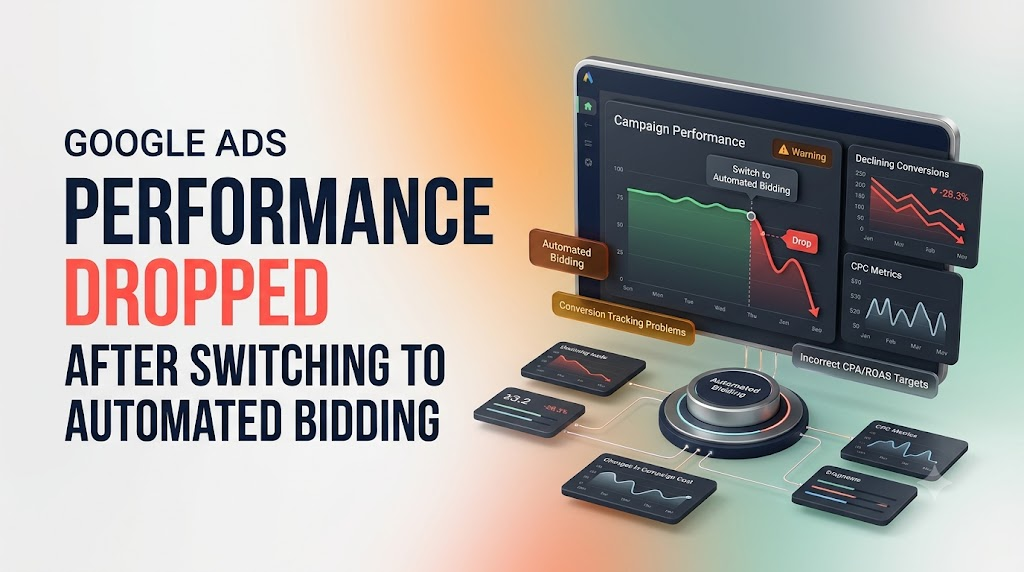
If Google Ads performance dropped after switching to automated bidding, the change may be related to the new bidding strategy, insufficient conversion data, unrealistic CPA or ROAS targets, or incorrect conversion tracking. Automated bidding uses Google’s machine learning to adjust bids based on campaign goals and auction-time signals. However, the transition can cause temporary fluctuations in clicks, costs, conversions, and traffic quality.
The solution is not always to switch back to manual bidding. Start by reviewing your conversion data, bidding targets, campaign settings, and actual business results. Understanding what changed will help you identify the problem and improve campaign performance.
Why Does Google Ads Performance Drop After Switching to Automated Bidding?
When you move from manual bidding to an automated strategy, Google Ads starts adjusting bids based on your selected objective and available performance data.
For example, a campaign previously optimized for clicks may begin prioritizing users who are more likely to convert. As a result, impressions and clicks may decrease even when the campaign is working toward its new conversion goal.
Performance can also decline when the bidding strategy has limited conversion history, targets are too restrictive, or the campaign is tracking the wrong actions.
If your campaign is already experiencing a Google Ads learning phase delay, understanding how the learning period works can help you avoid unnecessary changes.
Here are seven common reasons and practical ways to address them.
7 Reasons Google Ads Performance Dropped After Switching to Automated Bidding
1. Your Campaign Is Still Adjusting to the New Bidding Strategy
One common reason for performance fluctuations is the adjustment period after changing your bidding strategy.
When you switch to a new strategy, Google Ads may display a Learning status. During this period, the system uses historical and new conversion data to optimize bidding decisions.
You may notice:
- Fewer impressions than before.
- Changes in average CPC.
- Fluctuating conversion rates.
- Temporary increases in cost per conversion.
- Changes in traffic volume.
How to fix it:
- Check the bid strategy status in Google Ads.
- Avoid unnecessary structural changes immediately after switching.
- Monitor conversion volume and cost trends.
- Consider your typical conversion delay.
- Give the strategy enough time to collect meaningful data.
Google states that the Learning status can remain visible for up to seven days, while performance may take one to two conversion cycles to converge toward a new goal. The actual duration depends on conversion volume, conversion delays, and campaign settings.
2. Your Target CPA or Target ROAS Is Too Restrictive
Setting an unrealistic target is another reason automated bidding may reduce campaign traffic.
For example, suppose your campaign historically generates leads at an average cost of $60. If you set a Target CPA of $15, Google Ads may struggle to find enough eligible auctions that meet the target.
Similarly, setting an unusually high Target ROAS can restrict traffic and reduce conversion volume.
How to fix it:
- Review your historical CPA or ROAS.
- Compare your current target with actual campaign performance.
- Avoid setting aggressive targets without supporting data.
- Use Google Ads bid strategy reports and simulators where available.
- Adjust targets gradually based on business requirements.
Choose targets that reflect realistic acquisition costs and revenue expectations rather than arbitrary numbers.
For more ways to manage acquisition costs, read our guide on reducing CPA and increasing ROAS in Google Ads.
3. Your Conversion Tracking Is Incorrect
Automated bidding depends heavily on conversion data when optimizing for leads, sales, or conversion value.
If conversion tracking is incorrect, Google Ads may optimize toward actions that do not represent genuine business results.
Common conversion tracking problems include:
- Duplicate conversion events.
- Missing conversion tags.
- Incorrect conversion values.
- Form submissions counted without successful completion.
- Phone calls recorded incorrectly.
- Important lead or purchase actions marked as secondary instead of primary.
How to fix it:
- Open Goals in your Google Ads account.
- Review your conversion actions.
- Check which actions are marked as primary.
- Verify that conversion tags are firing correctly.
- Test forms, purchases, and phone call tracking.
- Compare Google Ads conversions with your CRM or website records.
For lead generation campaigns, focus on qualified leads rather than treating every form submission as equally valuable.
If you are seeing discrepancies in your reports, follow this guide to troubleshoot Google Ads conversions not tracking.
Accurate tracking also matters beyond the advertising platform. Businesses should understand whether an ad interaction eventually produces a genuine enquiry, qualified lead, or appointment. Learn more about the attribution gap between an ad and an appointment.
4. Your Campaign Does Not Have Enough Conversion Data
Automated bidding performs better when it has reliable conversion information to identify patterns and optimize bids.
If your campaign receives very few conversions, the system may have limited information about which searches, users, and interactions are most likely to produce valuable outcomes.
For example, a campaign generating only a handful of leads each month may experience more performance fluctuations than a campaign with consistent conversion activity.
How to fix it:
- Review historical conversion data before changing strategies.
- Ensure that valuable conversion actions are tracked consistently.
- Avoid dividing limited conversion data across too many similar campaigns.
- Consider consolidating campaigns with similar objectives where appropriate.
- Maintain sufficient budget to capture relevant traffic.
Do not assume there is one universal minimum conversion count that guarantees success. Data requirements depend on the campaign, business, conversion cycle, and bidding strategy.
5. Your Daily Budget Is Too Low for the New Strategy
Automated bidding needs sufficient budget flexibility to participate in relevant auctions and pursue your campaign objectives.
If your budget is too restrictive, Google Ads may have fewer opportunities to generate conversions.
For example, a campaign targeting high-value leads with a very small daily budget may struggle to achieve consistent results.
How to fix it:
- Check whether your campaign is limited by budget.
- Compare daily spending with your average CPA.
- Review the budget simulator when available.
- Evaluate whether your budget supports your desired conversion volume.
- Increase the budget only when the expected business value justifies the additional spending.
Avoid increasing your budget simply because impressions or clicks have declined. First identify whether budget limitations are actually affecting performance.
6. Your Campaign Targeting or Search Traffic Has Changed
Automated bidding can adjust bids, but it cannot automatically fix every targeting issue.
Your campaign may attract less relevant traffic if its keywords, locations, audiences, or search terms do not match your intended customers.
For example, a local plumbing company may receive clicks from users searching for plumbing courses, DIY tutorials, or services outside its coverage area.
How to fix it:
- Review the Search Terms report.
- Add irrelevant queries as negative keywords.
- Check location targeting and location options.
- Review device and audience performance.
- Ensure keywords match your actual services.
- Align ad copy with the landing page.
If relevant keywords are not generating enough visibility, review these seven fixes for Google Ads keywords not getting impressions.
Better targeting helps automated bidding focus on more relevant advertising opportunities.
7. You Changed Too Many Campaign Settings at Once
Changing several campaign settings at the same time makes it difficult to understand why performance has declined.
For example, you might switch from Manual CPC to Maximize Conversions, change your budget, add new keywords, update conversion goals, and modify location targeting within the same period.
When results change, identifying the cause becomes difficult.
How to fix it:
- Review the Google Ads Change History.
- Identify all changes made around the performance drop.
- Separate bidding changes from targeting and tracking changes.
- Avoid unnecessary adjustments during the evaluation period.
- Test major changes individually whenever possible.
A controlled optimization process makes it easier to understand what improves or reduces campaign performance. You can also refer to this Google Ads optimization guide for additional ways to evaluate and improve campaign results.
How Long Does Google Ads Automated Bidding Take to Stabilize?
There is no fixed stabilization period for every campaign.
Google explains that the Learning status can appear for up to seven days, but Smart Bidding may need one to two conversion cycles to converge toward a new performance goal.
A conversion cycle is the typical time between an ad interaction and the resulting conversion.
For example:
- A campaign with short conversion delays may stabilize relatively quickly.
- A business where customers take several weeks to make a purchase may need a longer evaluation period.
- Campaigns with limited conversion data may experience more fluctuations.
Important: Do not evaluate a new bidding strategy using only a few days of results. Account for conversion delays and compare performance over an appropriate period.
Manual Bidding vs. Automated Bidding: What Should You Check?
| Performance factor | Manual bidding | Automated bidding |
| Bid adjustments | Advertiser controlled | Automatically adjusted |
| Optimization focus | Depends on manual decisions | Follows selected strategy |
| Auction-time signals | Less automated bid adjustment | Uses available auction-time signals |
| Conversion data | Useful for analysis | Important for conversion-based optimization |
| Management | More direct bid management | Requires goal and performance monitoring |
The right strategy depends on your advertising objectives, conversion tracking, campaign data, and need for bid control.
Checklist to Recover Google Ads Performance
Before switching back to your previous bidding strategy, review these areas:
- Check the current bidding strategy and status.
- Review CPA, ROAS, conversions, and conversion value.
- Verify primary conversion actions.
- Check whether conversion tracking is working.
- Compare current targets with historical performance.
- Review campaign budget limitations.
- Analyze search terms and negative keywords.
- Check location and audience targeting.
- Review recent changes in Google Ads.
- Account for conversion delays before making a decision.
Frequently Asked Questions
1. Why did my Google Ads conversions drop after switching to automated bidding?
Conversions may drop because the new bidding strategy is optimizing toward a different goal, has limited conversion data, or is working with restrictive CPA or ROAS targets. Incorrect conversion tracking and changes in traffic quality can also contribute.
2. Should I switch back to manual bidding if automated bidding performs poorly?
Not immediately. First review conversion tracking, bidding targets, campaign settings, and conversion delays. If automated bidding continues to underperform after an appropriate evaluation period, compare alternative strategies using campaign data.
3. Does Google Ads automated bidding increase CPC?
It can increase or decrease average CPC depending on auction conditions, competition, and the selected strategy. A higher CPC does not automatically mean worse performance if the campaign generates more valuable conversions.
4. How long should I wait after switching to automated bidding?
The Learning status may remain visible for up to seven days, but performance can take one to two conversion cycles to converge toward the new goal. Allow for conversion delays before judging results.
5. Can automated bidding reduce impressions and clicks?
Yes. Conversion-focused bidding may prioritize users who are more likely to complete the selected action rather than maximizing traffic. Therefore, impressions and clicks can decrease while the system focuses on conversion opportunities.
6. What is the best automated bidding strategy for lead generation?
Maximize Conversions and Target CPA are commonly used for lead generation. The choice depends on your campaign goals, conversion tracking quality, available data, and acceptable acquisition cost.
7. How can I improve Google Ads performance after switching to Smart Bidding?
Use accurate conversion tracking, realistic targets, sufficient budgets, relevant keywords, and consistent campaign settings. Monitor qualified leads, CPA, and conversion value rather than focusing only on clicks and impressions.
Conclusion
A drop in Google Ads performance after switching to automated bidding does not necessarily mean the strategy is failing. It may indicate that the system is adjusting to a new objective, working with limited conversion data, or responding to restrictive targets and campaign settings.
Start by checking conversion tracking, reviewing your CPA or ROAS targets, and analyzing campaign changes. Allow enough time for conversion data to mature before making major adjustments.
With accurate data, realistic goals, and consistent monitoring, automated bidding can help improve campaign efficiency and support sustainable advertising growth.