A headless CMS is a content management system that separates content management from the website’s frontend, or presentation layer. It stores content centrally and delivers it through APIs to websites, mobile apps, and other digital platforms. This separation gives developers more design flexibility, supports content reuse, and can improve website performance when implemented well.
A website needs more than an attractive design to perform well. It must load quickly, provide useful information, work across devices, and help visitors take action. A headless CMS can support these goals by separating content management from the technology used to display that content.
Unlike a traditional content management system, a headless CMS lets developers build the website frontend independently. Meanwhile, content teams can create and update text, images, product details, and other information in a central system. APIs then deliver that content to the required platform.
As a result, businesses gain more flexibility when building digital experiences. However, a headless CMS is not automatically faster, better for SEO, or more likely to increase sales. Its results depend on the website architecture, content quality, technical setup, and user experience.
In this guide, you will learn how a headless CMS works, its main benefits, how it compares with a traditional CMS, and what businesses should consider before choosing one.
Table of Contents
- How Does a Headless CMS Work?
- Headless CMS Architecture Explained
- 7 Key Benefits of a Headless CMS
- Greater Website Design Flexibility
- Potentially Faster Website Performance
- Content Reuse Across Multiple Platforms
- Easier Frontend Updates
- More Flexible Content Workflows
- Support for SEO-Friendly Website Development
- More Opportunities to Improve Conversions
- Headless CMS vs Traditional CMS: What Is the Difference?
- How a Headless CMS Can Support SEO and Website Conversions
- Build SEO-Friendly Page Structures
- Improve Loading Speed and Mobile Experience
- Create Clear Conversion Paths
- Use Content Data to Improve User Journeys
- Headless CMS Diagnostic Framework: What Should You Fix First?
- Practical Example: A Service Business Website
- Is a Headless CMS Right for Your Business?
- Common Headless CMS Mistakes to Avoid
- Frequently Asked Questions About Headless CMS
- Build a Flexible Website Around Your Business Goals
How Does a Headless CMS Work?
A headless CMS separates the place where content is managed from the interface where visitors see it. Its architecture generally includes three main parts.
- Content management system: Editors create, organize, and update website content through a central dashboard.
- API layer: Application Programming Interfaces (APIs) allow other applications to request and receive content.
- Frontend: The website or app uses the delivered content to display pages, images, product information, and other elements.
For example, an online store may manage product descriptions, prices, and images in one headless CMS. Its website can display those details, while a mobile app or digital display can use the same content through a suitable API integration.
This approach reduces the need to maintain separate copies of the same content. Furthermore, developers can choose frontend tools that match their project’s needs.
Headless CMS Architecture Explained
Imagine a business that publishes service pages, blog articles, and product updates. Its content team adds an article to the CMS. The CMS stores the article in a structured format. Next, the website requests that content through an API and displays it using its frontend design.
The process looks like this:
Create content → Store content → Deliver through an API → Display on the website or app → Measure user actions
The frontend and backend work together, but they can be developed and maintained separately. This separation is the defining feature of a headless CMS.
7 Key Benefits of a Headless CMS
A headless CMS can help businesses build flexible digital experiences. Nevertheless, the benefits depend on how well the system is planned and maintained.
1. Greater Website Design Flexibility
A headless CMS does not tie the website to one built-in presentation system. Developers can choose a frontend framework and create layouts that match the brand, audience, and business goals.
For example, a service company can build custom landing pages for different services without changing how its content is stored. This flexibility is useful when the website needs special features or a unique user experience.
2. Potentially Faster Website Performance
Website speed affects how easily visitors can browse and interact with a page. A headless architecture can support fast performance when developers use efficient rendering, caching, image optimization, and content delivery methods.
However, separating the frontend and backend does not guarantee faster loading. Poorly optimized JavaScript, slow API requests, and oversized images can still delay a page.
Therefore, teams should test real user performance and improve the parts of the website that cause delays. The Core Web Vitals guidance explains how to assess loading speed, responsiveness, and visual stability.
3. Content Reuse Across Multiple Platforms
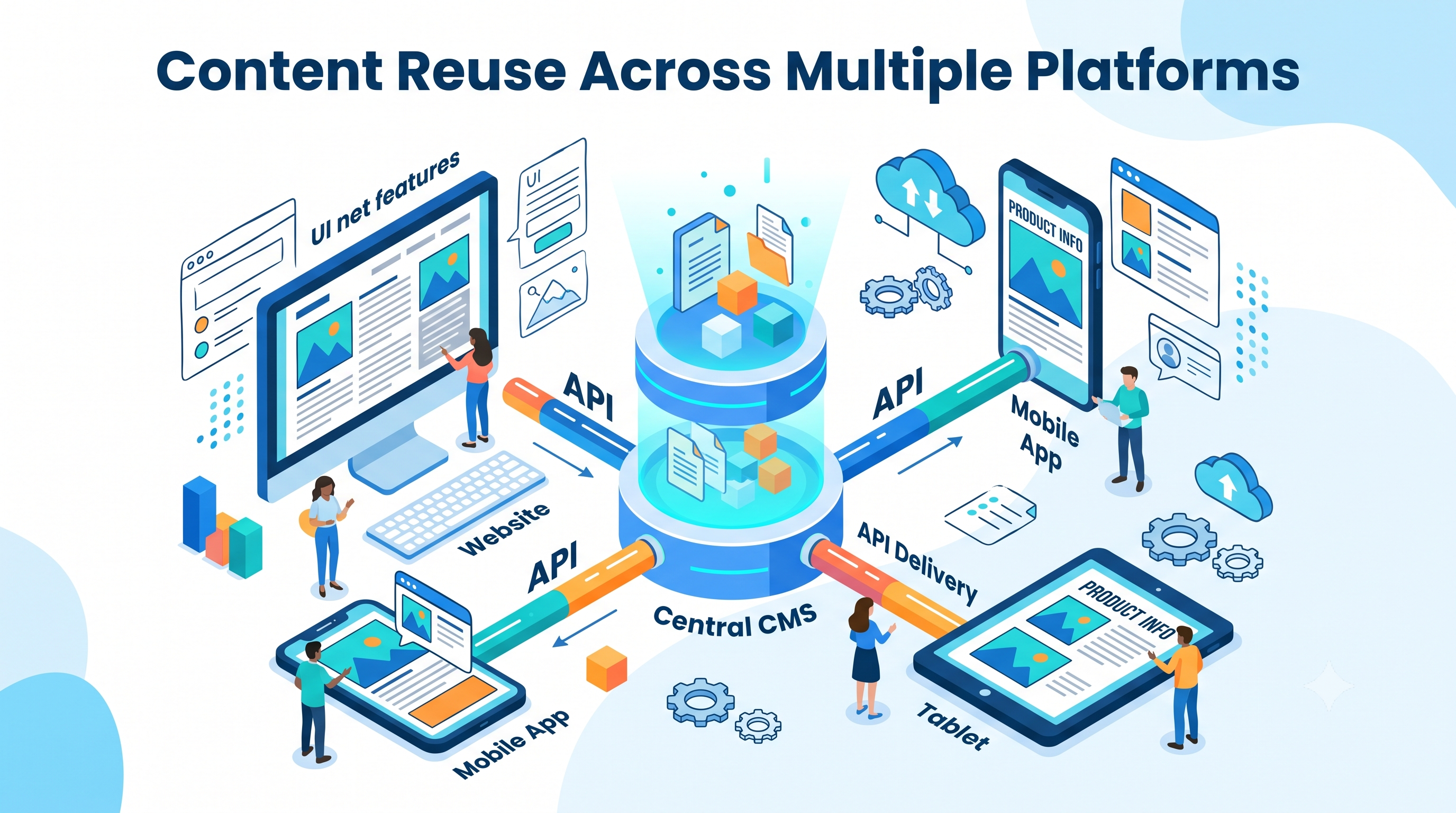
A headless CMS allows teams to manage structured content in one place and deliver it to different channels. These may include websites, mobile apps, customer portals, and digital displays.
For instance, a retailer can update a product description once and use that information across its website and app. This reduces repeated work and helps keep content consistent.
Still, each platform may need its own layout and content presentation. Reusing content does not mean every channel must display it in the same way.
4. Easier Frontend Updates
With a headless CMS, developers can often update the frontend without rebuilding the entire content management system. This can make it easier to introduce new page layouts, improve navigation, or test a new landing page.
As a result, development teams have more freedom to improve the website over time. However, changes still need proper testing to avoid broken pages, API issues, or inconsistent content.
5. More Flexible Content Workflows
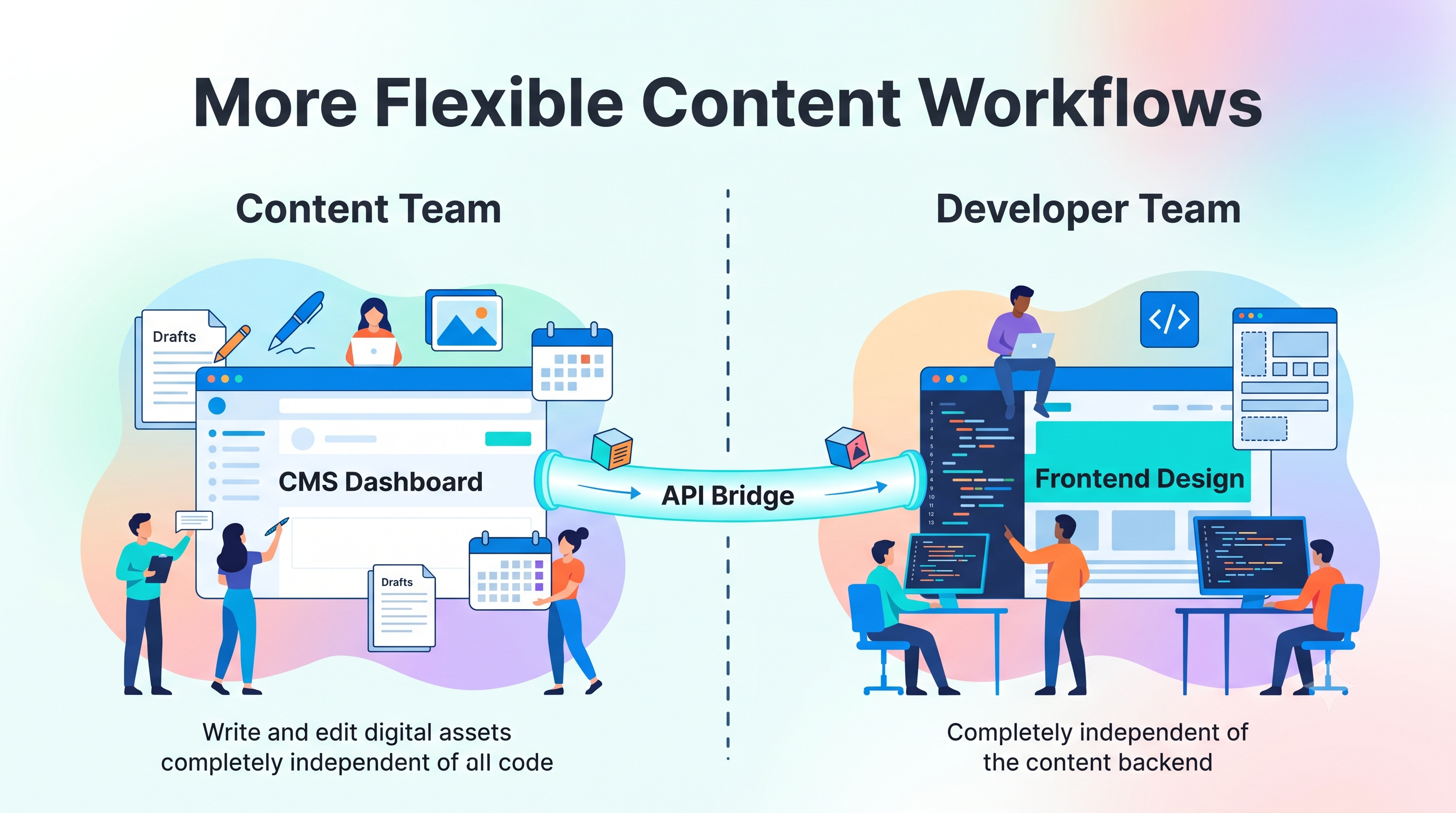
Content teams can focus on writing and organizing information while developers work on the website’s presentation. This separation can reduce bottlenecks when both teams have clear roles and processes.
For example, a marketing team may publish a new service page using approved content fields while developers maintain the frontend components. The team can work more efficiently without requiring every content update to involve a full website redesign.
6. Support for SEO-Friendly Website Development
A headless CMS can support strong SEO when the website includes the technical features search engines need. These include crawlable links, unique page titles, useful meta descriptions, clear headings, canonical URLs, structured data where appropriate, and XML sitemaps.
However, SEO depends on implementation, not simply the CMS choice. JavaScript-heavy websites need particular care because search engines must be able to access and render their content.
Google’s JavaScript SEO documentation explains how crawling, rendering, and indexing work. Developers should also check important pages in Google Search Console to identify indexing or rendering problems.
7. More Opportunities to Improve Conversions
A flexible frontend gives businesses more control over landing pages, navigation, forms, product details, and calls to action. These changes can help visitors find information and complete important tasks.
For example, a business could simplify a service page, move the enquiry form higher, and make the main call to action clearer. It could then compare form submissions before and after the change.
The key is to measure the result. A headless CMS can make changes easier to deliver, but it cannot guarantee more leads or sales on its own.
Headless CMS vs Traditional CMS: What Is the Difference?
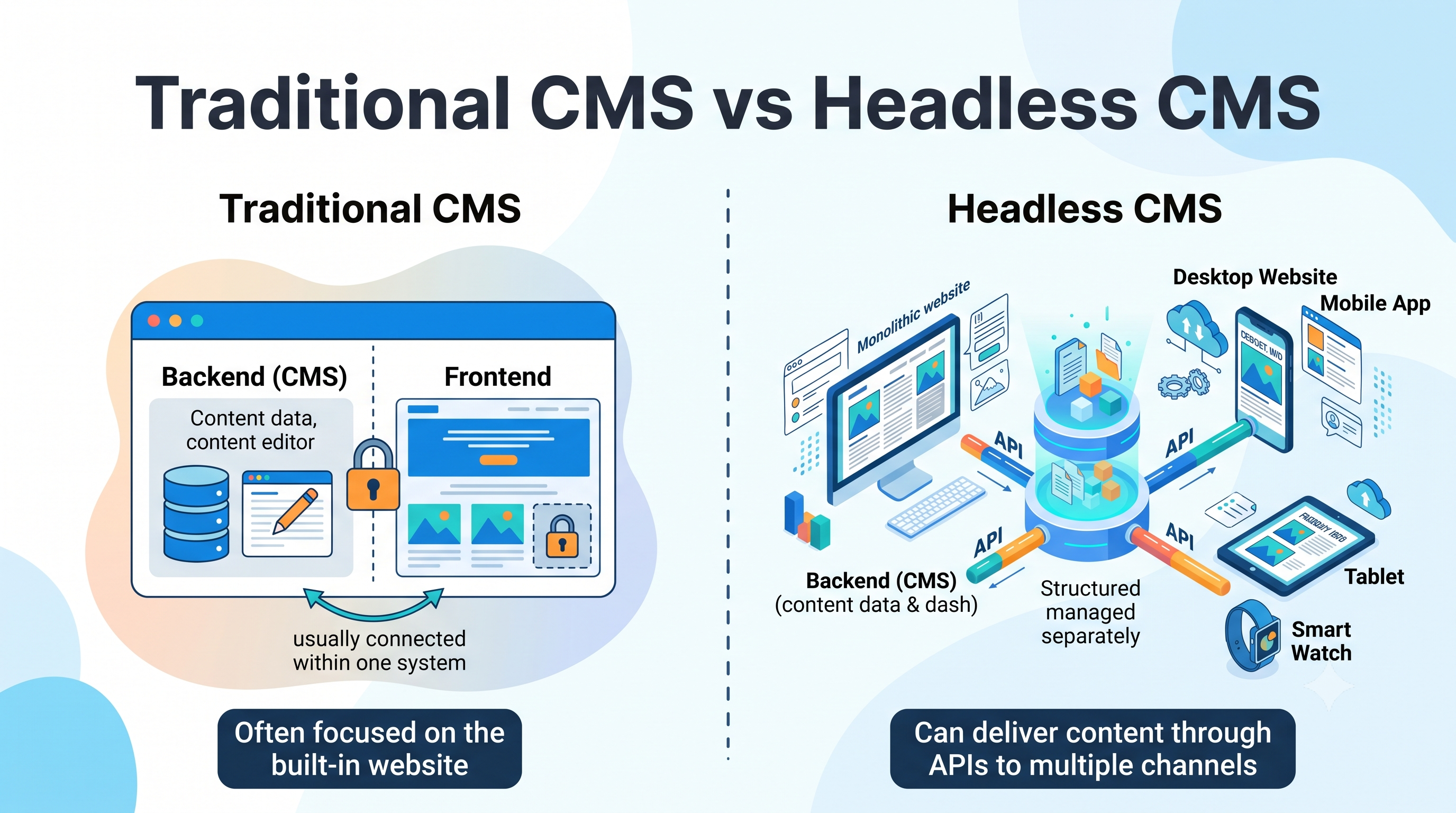
The main difference is how content management and website presentation are connected.
Feature | Traditional CMS | Headless CMS |
| Content and frontend | Usually connected within one system | Managed separately |
| Design flexibility | Depends on themes, templates, and extensions | Developers can choose a separate frontend |
| Content delivery | Often focused on the built-in website | Can deliver content through APIs to multiple channels |
| Development needs | Can be simpler for standard websites | Often requires more frontend and API development |
| Content editing | May offer built-in visual editing | Depends on the CMS and connected editing tools |
| Maintenance | Often managed within one main platform | May involve separate CMS, frontend, hosting, and API services |
| Best suited for | Many blogs, business websites, and simpler projects | Projects needing custom interfaces or multi-channel delivery |
Neither approach is best for every business. A traditional CMS may be a practical choice for a small website that needs simple editing and a quick setup. In contrast, a headless CMS may suit a growing business with several digital platforms or complex frontend requirements.
Before choosing, compare the team’s technical skills, total cost, content workflow, security needs, and future plans.
How a Headless CMS Can Support SEO and Website Conversions
A headless CMS creates flexibility, but businesses still need a clear strategy to turn that flexibility into results. Focus on these areas.
Build SEO-Friendly Page Structures
Give every important page a clear purpose and a unique URL. Use descriptive title tags, relevant headings, useful body content, and internal links that help visitors explore related pages.
Also, make sure the frontend delivers indexable content. Server-side rendering or static generation can help search engines access page content without relying entirely on client-side JavaScript. The right method depends on the website and its technical requirements.
Improve Loading Speed and Mobile Experience
Compress images, reduce unnecessary scripts, cache suitable content, and avoid making users wait for slow API calls. Test key pages on mobile devices as well as desktop screens.
Furthermore, monitor Core Web Vitals, including Largest Contentful Paint (LCP), Interaction to Next Paint (INP), and Cumulative Layout Shift (CLS). These metrics help teams identify loading, interaction, and layout problems.
Create Clear Conversion Paths
Every commercial page should guide visitors toward a relevant next step. Depending on the business, that action might be requesting a quote, booking a consultation, buying a product, or contacting the team.
Keep forms focused, explain the value of the offer, and make buttons easy to understand. Then use analytics to measure completed actions instead of judging performance by page views alone.
Use Content Data to Improve User Journeys
Structured content can help teams create consistent service pages, product pages, FAQs, and landing pages. When content is organized well, teams can update information more easily and identify gaps in the customer journey.
For example, if a service page attracts search traffic but receives few enquiries, review the page’s relevance, proof points, calls to action, form usability, and loading performance. The issue may be the content or user experience rather than the CMS itself.
Headless CMS Diagnostic Framework: What Should You Fix First?
A new platform will not solve every website problem. Use this framework to identify the issue before investing in a headless CMS or changing your existing setup.
| Problem | Possible cause | Recommended action | What to measure |
| Pages load slowly | Large images, slow APIs, heavy JavaScript, or poor caching | Optimize assets, rendering, caching, and API requests | LCP, INP, and page load performance |
| Pages are not indexed | Rendering problems, blocked resources, or weak internal linking | Inspect rendered pages, check indexing settings, and review crawlable links | Indexing status and organic impressions |
| Content updates take too long | Duplicated content or unclear publishing workflows | Review structured content models and editorial permissions | Time needed to publish updates |
| Visitors leave without taking action | Weak content, confusing navigation, or unclear calls to action | Improve page relevance and simplify the conversion path | Form completion and conversion rate |
| Different channels show inconsistent information | Content is maintained separately in each system | Consider central content management and API-based delivery | Content errors and update time |
| Development costs keep rising | Complex architecture or too many connected services | Review total ownership costs, integrations, and maintenance needs | Development hours and ongoing costs |
Practical Example: A Service Business Website
Imagine a company receives visitors from Google but gets very few enquiries. Its team assumes that switching to a headless CMS will increase conversions.
Before making that change, the company should check its analytics and website performance. It may discover that the service pages load slowly on mobile, the enquiry form asks too many questions, and the call to action is hard to find.
The company should address these issues first. If its current CMS makes the required changes difficult, a headless setup may offer a useful long-term solution. However, the team should compare implementation costs and expected benefits before committing.
This process prevents businesses from treating a technology choice as a substitute for a clear conversion strategy.
Is a Headless CMS Right for Your Business?
A headless CMS may be a strong choice if your business needs custom website design, reusable content across several channels, or greater control over frontend development.
It may be less suitable if you have a small website, limited development resources, and straightforward editing needs. In that case, a traditional CMS may provide the features you need with less technical complexity.
Before deciding, ask these questions:
- Do we need to publish the same content across multiple platforms?
- Does our current CMS limit the website experience we want to build?
- Can our team manage separate frontend and backend systems?
- Have we estimated development, hosting, security, and maintenance costs?
- Can we measure whether the new setup improves speed, publishing efficiency, or conversions?
The answers will help you choose a system based on business needs rather than technology trends.
Common Headless CMS Mistakes to Avoid
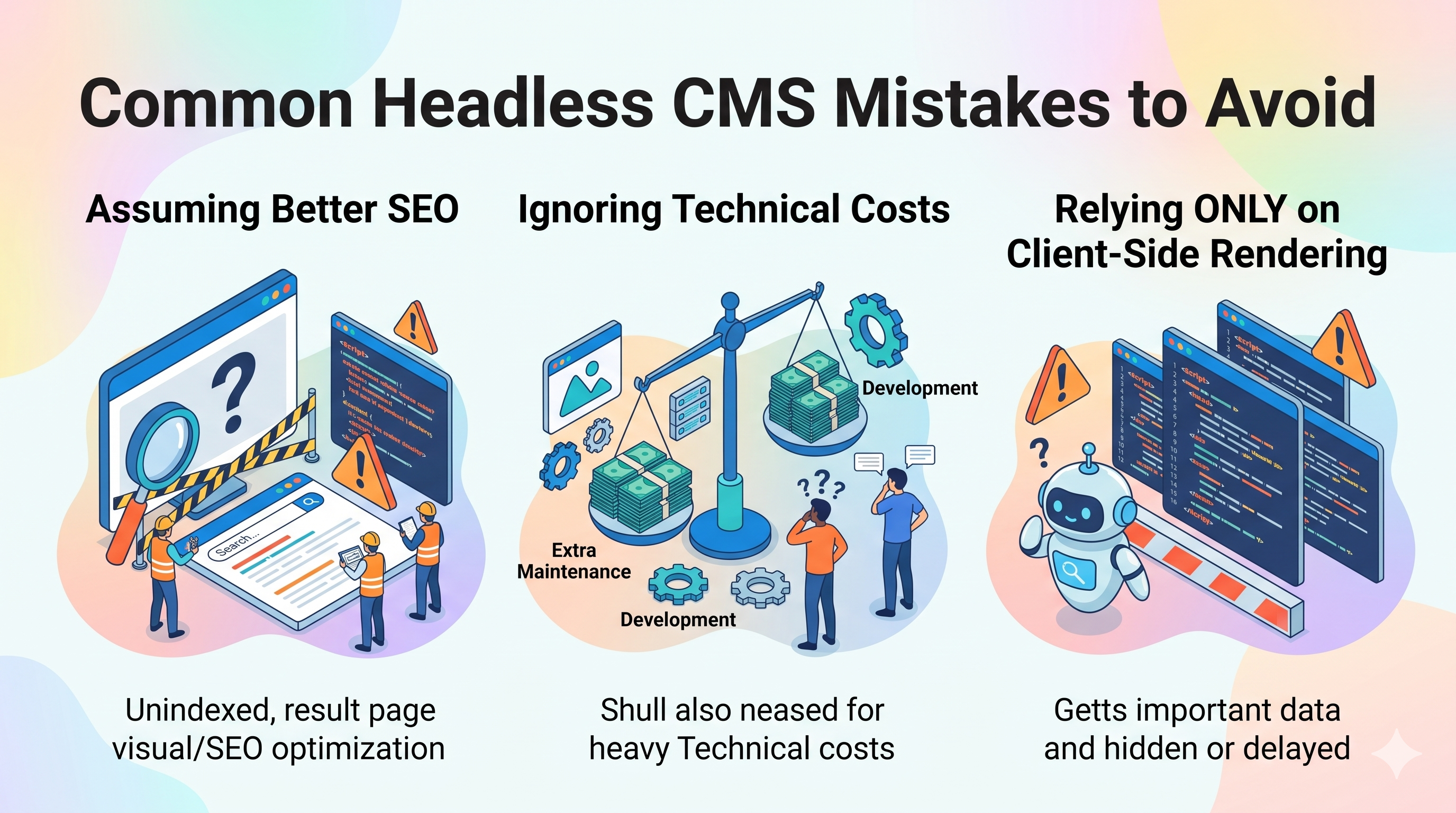
Even a flexible architecture can create problems when important details are overlooked.
- Assuming it guarantees better SEO: Search visibility still depends on useful content, crawlability, indexing, page experience, and other factors.
- Ignoring technical costs: Separate systems may require extra development, monitoring, and maintenance.
- Relying entirely on client-side rendering: Important content may be harder for some crawlers and tools to access. Choose a rendering strategy that fits your site.
- Building poor content models: Unclear fields and duplicated content can make publishing harder instead of easier.
- Forgetting analytics: Without conversion tracking, teams may struggle to determine whether website changes are helping.
- Choosing technology without a business goal: A new architecture should solve a defined problem, not add complexity without a clear benefit.
Planning the content structure, technical setup, and measurement strategy early can reduce these risks.
Frequently Asked Questions About Headless CMS
1. What is a headless CMS used for?
A headless CMS is used to manage content centrally and deliver it to websites, mobile apps, and other digital channels through APIs. It is useful for businesses that need flexible frontend design, reusable content, or multiple digital experiences.
2. Is a headless CMS better for SEO?
Not automatically. A headless CMS can support SEO-friendly websites, but results depend on page rendering, crawlable links, metadata, content quality, site speed, and technical setup. Developers should test how search engines access and index the finished website.
3. Is a headless CMS faster than a traditional CMS?
It can be, but speed depends on how the website is built. Efficient rendering, caching, optimized images, and fast API responses can improve performance. Poor frontend code or slow services can make a headless website slow as well.
4. What is the difference between a headless CMS and a traditional CMS?
A traditional CMS usually connects content management with its built-in presentation system. A headless CMS separates content management from the frontend and delivers content through APIs. The headless approach offers more frontend flexibility but may require more development work.
5. Does a headless CMS increase website conversions?
A headless CMS does not directly guarantee more conversions. It can give teams greater control over landing pages, forms, navigation, and performance improvements. Businesses must test those changes and measure leads, sales, or other meaningful actions to understand their impact.
6. Is a headless CMS suitable for small businesses?
It can be suitable when a small business needs a custom experience or content across several channels. However, a traditional CMS may be more affordable and easier to maintain for a simple website. The best choice depends on technical resources, budget, and long-term needs.
Build a Flexible Website Around Your Business Goals
A headless CMS separates content management from website presentation, giving businesses more freedom to build custom digital experiences. It can support content reuse, flexible development, and performance improvements when the architecture is designed well.
However, the right CMS is only one part of a successful website. Strong SEO, useful content, fast loading, accessible navigation, and clear conversion paths remain essential.
Start by identifying the problems your current website needs to solve. Then compare the available CMS options, plan the technical requirements, and define how you will measure success. This approach helps you choose a solution that supports both your website goals and your business growth.